Forum Discussion

Spreadsheet Help with Formulas Across Several Columns
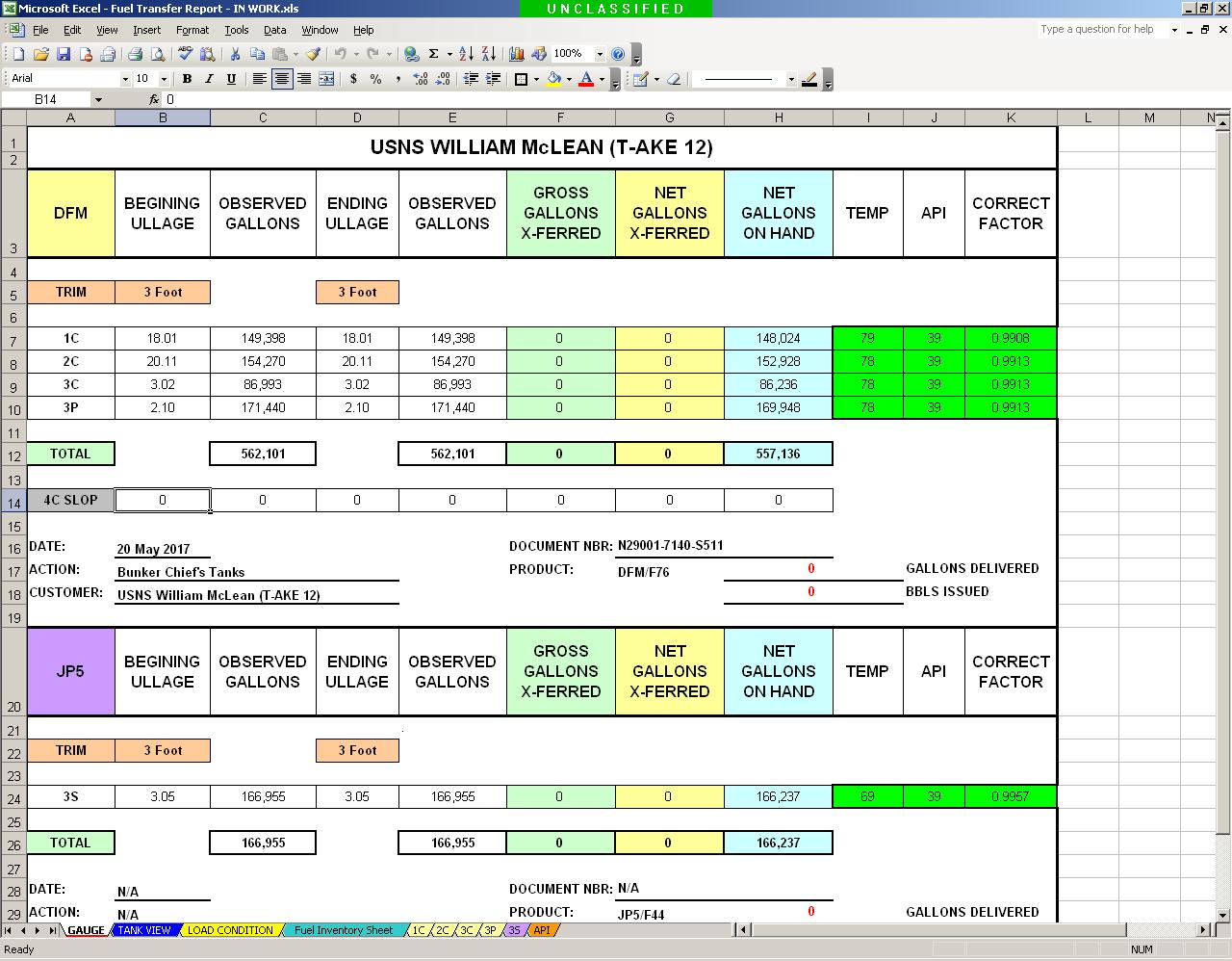


- May 21, 2017
One possible solution:
=INDEX('1C'!A:D,LOOKUP(B7,'1C'!A2:A509,ROW('1C'!C2:C509)),MATCH(B5,'1C'!1:1,0))

My idea is not the change a formula but use a new formula in F5.
=IF(AND(OR(B9=D9,B10=D10),B5<>D5),"Change D5 to '3 Foot'!","")
So the user in front of the sheet gets the instruction to change the value in D5.
And everything is balanced.

Hello Detlef,
I’m in need of your help again; I’m pretty sure this is a much easier problem to fix since it’s only one problem and not the entire workbook.
I need help with the following formula:
=INDEX('1C'!A:D,LOOKUP(D7,'1C'!A2:A509,ROW('1C'!C2:C509)),MATCH(B7,'1C'!1:1,0))
I modified the spreadsheet recently and now I need the LOOKUP portion of this formula to include D7 and E7. Originally D7 was feet and inches in a 2-decimal format but now feet and inches are in separate cells (D7 – feet and E7 – inches) in a regular number 0-decimal format.
This formula is used 20 times in this spreadsheet but if you can fix it for the one cell then I can edit the others myself.
I’m attaching both the current in-use workbook (8039 Decimal Format - Current) and the new in-progress workbook (8039 Feet & Inches - In Progress) for you to easily reference.
In the current in-use workbook all formulas and tabs are working as designed and you may notice a few changes in appearance since you last helped me last May.
In the new in-progress workbook all the cells and tabs have been updated to accommodate the new formula and is currently showing #REF! error codes due to on tab 1C, 2C, 3C, 3P, and 3S I changed the replaced the Ullage column with Ullage Ft and Ullage In columns.
If you have any questions, please don’t hesitate to ask.
Best Regards,
John