Forum Discussion

Sheet View with "Filters" off?
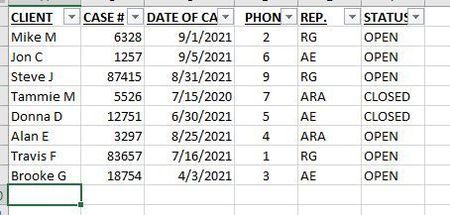


Views can apply filters without the Filters being switched on. But I am not sure they intend it to work as it seems to get reset very easily if you switch Filters off. The pattern I THINK I'm seeing working currently is this:
1, I open the xlsx in desktop Excel and turn on Filters (if I do it in the web, it won't put it on the column I need).
2. I go to Web Excel (not sure this is necessary) and set up my views by going into each view and setting the required filter criteria and then exiting out of the view once it is showing what I want. 3. I make sure I am back on the Default view, in Web Excel when I switch off Filters. If I'm in a custom view, it will turn off filters on that view and reset it to default but leave filters on for the other custom views. If I'm in desktop Excel when I turn off filters on the default view, it seems to reset all custom views to unfiltered.
I'm not 100% sure of this because I just tried it a couple of times today, but it's been vexing me, so I wanted to share this with others while I remember