Forum Discussion

Jamil
Mar 19, 2018Bronze Contributor
Re: sum by color when colors are set by conditional formatting
Can you post a screenshot of dummy data or a dummy excel file?
10 Replies
 electricrickCopper Contributor
Hi Jamil,
I have tried everything and even inserted my sheet into your uploaded file but the count colours function only returns 0
Please help
- JamilBronze ContributorHi
If you read my earlier posts. you will see that I mentioned that for the UDF to work. CF needs to be creating using formula. I checked your CFs are not creating using Formula and that is why it does not work. If you change your CFs to be based on formula then it will work. Julius835Copper Contributor
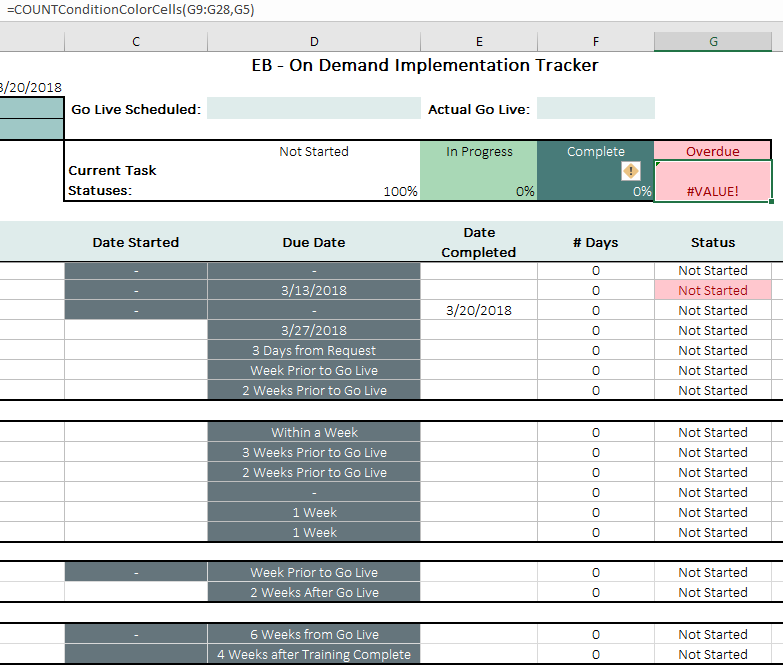
Hi Jamil, I believe I've done everything properly yet it still displays "#VALUE!" please help me.
- Cara PfaffCopper Contributor
- JamilBronze Contributor
Sometimes this happens, if you have an external Add-in or there are some codes in the PERSONAL.XLSB workbook.
click on the cell that has #Value error and then press F2 to go to Edit mode and then enter again. if you see the VALUE error disappear that means that the error is caused by some external add-in or your personal.xlsb workbook that is in the start up folder.If you can share a dummy example file, I can take a look at it.
- Cara PfaffCopper Contributor