Forum Discussion

Problemas con el Editor de Visual Basic en Excel 2016 para Mac

Jorge,
I was quite impressed with how well Bing Translate handled the translation of your Spanish inquiry into English. I hope that it does equally well for you in the other direction.
Mac Excel 2016 (including VBA) was completely rewritten to use the Cocoa API instead of the older Carbon API. At initial release, the VBA IDE in Mac Excel 2016 was missing so many features you could do little more than debug code written in Windows Excel (or Mac Excel 2011). If you have Office 365, many of the missing features were restored--but not all of them.
I have the Office Insider release of Mac Excel 2016/Office 365. It is more recent than your version, but the middle icon is still grayed out. On Windows Excel VBA, that icon returns you to the worksheet. In Mac Excel 2016 VBA, I click the yellow circle at the top left corner of the VBA window to minimize it and accomplish the same thing. Alternatively, if you leave a small portion of the worksheet window exposed, you can click on that to jump back to the worksheet.
The far left icon in Mac Excel 2016 VBA does take you to the code for the selected object. This was a feature I had never noticed before in either Windows or Excel VBA. My habit is to doubleclick the gray module icon in the Project Explorer (shaded gray in screenshot below) instead.
 jaedcolJul 17, 2019Copper Contributor
Hello Brad!
I very appreciate your response. I understand from the answer you give me that, because of my inexperience, I was not very clear with the question. I'm going to attach some screenshots from Excel for Windows in order to be clearer and help you help me.In the image you see below I show with circles and arrows the items that I can see, and also edit (code), in Excel 365 for Windows but I CANNOT SEE, and LESS EDIT, in Excel 365 for Mac.
I tell you that I went to an iMac computer computer computer computer room in my workplace to check if this option was available in the Excel there installed, and I could check that that function is not active either, i.e. I can't SEE or EDIT my UserForm.
I hope this image obviously gives you more clarity to help me and I appreciate your response again and hope you can get an idea about my problem.
Grateful, Jorge Echeverri.
- Brad_YundtJul 17, 2019MVP
Jorge,
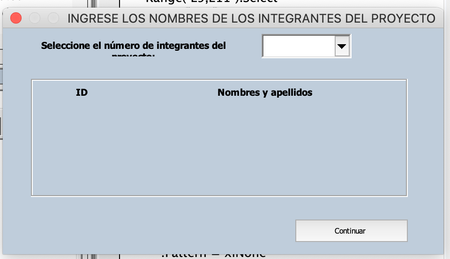
You may display userforms in Mac Excel 2016, but you cannot create them or edit how they look. Neither can you change the properties of the UserForm or any objects on it using the Property window. You can, however, edit the code for those userforms.
Until Microsoft developers get around to eliminating this gap, you should build your userforms using Windows Excel and then test whether they display properly on your Mac.
I run Windows Excel on a Parallels Virtual Machine on my Mac, and have done so for years. Code runs at perhaps 75% of the speed of a Windows computer. If I am satisfied with how fast code runs on my virtual machine, I know that my customer will be happy, too.
Brad