Forum Discussion

Multiple =IF Function


You are correct and the =MAX function is more concise and works best when a maximum value is required for an active teeing ground in golf.
Unfortunately there is a drawback to utilizing this function in place of the =IFS function. At any given golf course, we may encounter different scenarios (e.g. Course #1 has 3 tees, Course #2 has 7 tees, Course #3 has 5 tees, etc.).
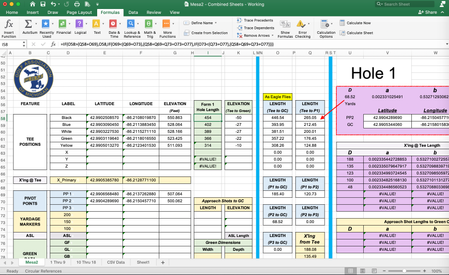
Our spreadsheet provides encountering up to 8 teeing grounds, although the normal scenario is between 3-5 teeing grounds. Both my attachments utilize 5 active teeing grounds (e.g. Black, Blue, White, Green, Yellow). Tees 6, 7 & 8 are inactive and need to depict a blank or at least a value of 0 so those at headquarters are not confused by the data collected in the field if they see a value (e.g. Hole 9's inactive 6, 7 & 8 are blank as they should be and Hole 10's inactive 6, 7 & 8 erroneously show 140 yards).
My web investigations indicate the =MAX function cannot supply a blank or 0 value. By necessity, we must use the =IF function as depicted in the Hole 9, =IF Solution screen shot.
I want to thank you for your thought, consideration, alternate solution and reply to my post. I'm filing the =MAX function in my cerebral library for future use when applicable. If the =MAX function can be utilized and a blank cell or value of 0 can be depicted, please let me know.
Regards, ProTee

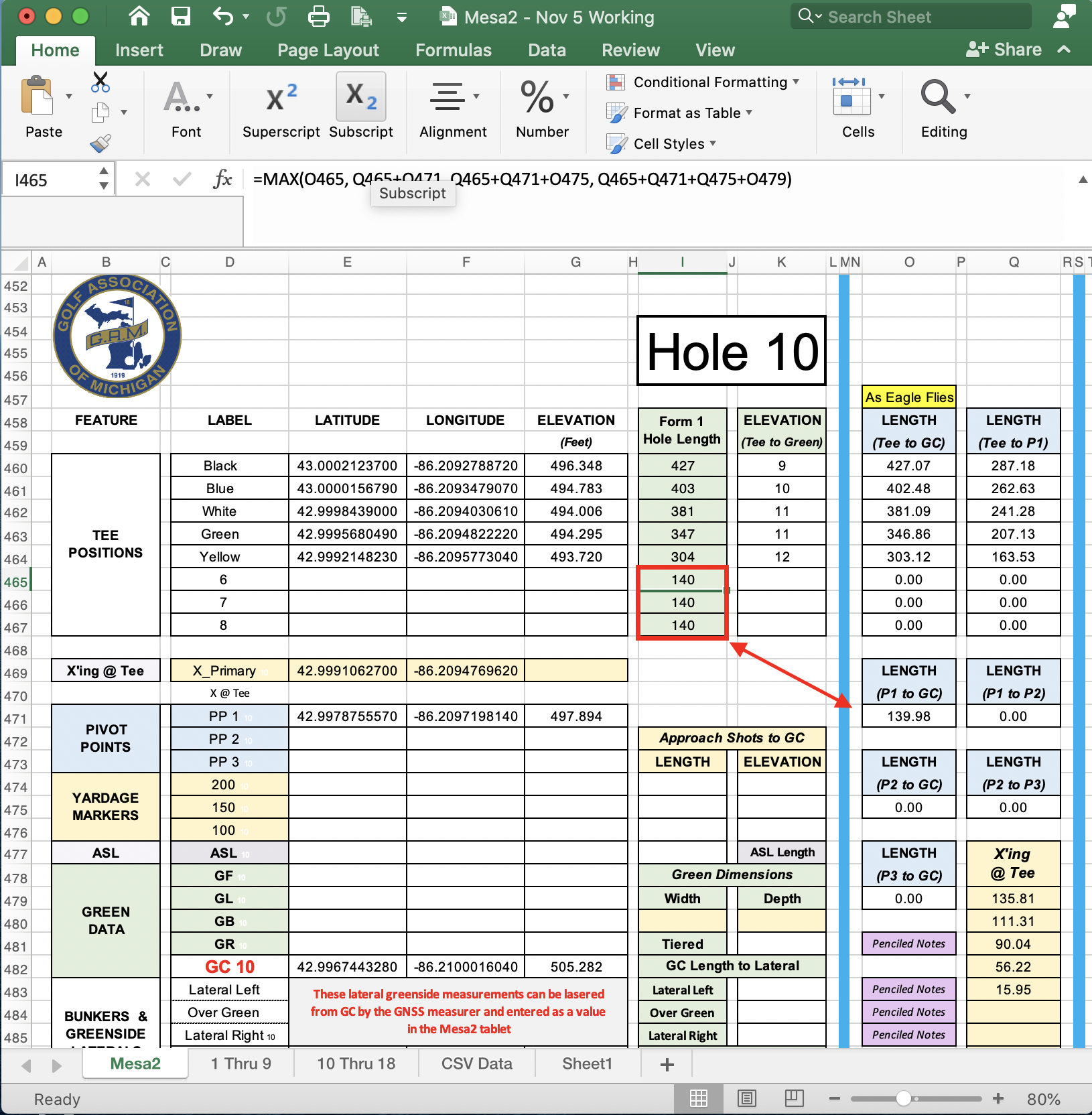

ProTee May I suggest that you just put the MAX() inside the IF() statement. As you noted, the MAX() is much cleaner and clearer to read than the multiple IF conditions. So
=IF( [tee to hole] = 0, "", MAX(...) )
But at this point it is mainly a readability and serviceability issue, not functional so of course use what you are most comfortable with.
Glad your issue has been worked out.