Forum Discussion

Excel
Apr 11, 2022Iron Contributor
Macro VBA
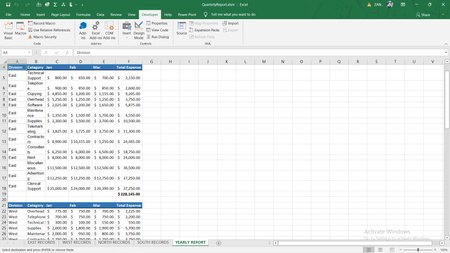
Hello Everyone, I have written code and it works perfectly. like - But I want the option "for which fonts, types of font, font size, Bold true or Bold false" to pop up as they enter EXCEL ...

HansVogelaar
Apr 11, 2022MVP
Please try to explain more clearly and in detail what you want to do.
 ExcelApr 11, 2022Iron Contributor
Before run in YEARLY REPORT sheet, it should give option to choose which fonts you want, what types of font you want, what font size you want to take, Either Bold or not Bold". After ask, then it should run the code.
So, what should i write?
Please help..
- HansVogelaarApr 11, 2022MVP
New version of the FormatData macro:
Sub FormatData() ' ' FormatData Macro ' ' Range("A1:F1").Select With Selection.Interior .Pattern = xlSolid .PatternColorIndex = xlAutomatic .ThemeColor = xlThemeColorAccent1 .TintAndShade = -0.249977111117893 .PatternTintAndShade = 0 End With Application.Dialogs(xlDialogFontProperties).Show Selection.Borders(xlDiagonalDown).LineStyle = xlNone Selection.Borders(xlDiagonalUp).LineStyle = xlNone Selection.Borders(xlEdgeLeft).LineStyle = xlNone Selection.Borders(xlEdgeTop).LineStyle = xlNone With Selection.Borders(xlEdgeBottom) .LineStyle = xlContinuous .ColorIndex = 0 .TintAndShade = 0 .Weight = xlMedium End With Selection.Borders(xlEdgeRight).LineStyle = xlNone Selection.Borders(xlInsideVertical).LineStyle = xlNone Selection.Borders(xlInsideHorizontal).LineStyle = xlNone Range("C2").Select Range(Selection, Selection.End(xlDown)).Select Range(Selection, Selection.End(xlToRight)).Select Selection.Style = "Currency" Range("A2").Select End Sub- ExcelApr 11, 2022Iron ContributorThank you so much sir