Forum Discussion

MAC OS - compress chart to eliminate zero values
- Jul 14, 2023
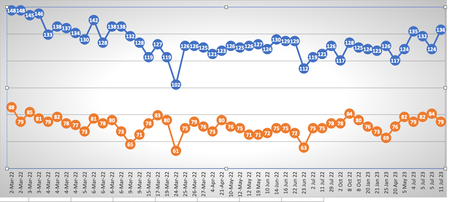
John_Fletcher Not sure which solutions you found for Windows. When you work with real dates, Excel's built-in date intelligence spaces out dates on a time-line, giving you dates on the X-axis with no data points. That is true for both Windows and Mac.
If you don't want that you need to work with text labels that look like dates as shown in the attached file. And this is true also for Windows and Mac. But perhaps I haven't come across all chart related 'Windows only' features yet.

John_Fletcher Not sure which solutions you found for Windows. When you work with real dates, Excel's built-in date intelligence spaces out dates on a time-line, giving you dates on the X-axis with no data points. That is true for both Windows and Mac.
If you don't want that you need to work with text labels that look like dates as shown in the attached file. And this is true also for Windows and Mac. But perhaps I haven't come across all chart related 'Windows only' features yet.
 John_FletcherJul 15, 2023Copper Contributor
Thank you. This is the answer. I had already selected the column as "text," but it turns out that "text" can me made to function either as "text" or "date." I switched the latter setting and all works great now.
Thanks.- SergeiBaklanJul 15, 2023Diamond Contributor
I guess that is like
10 and 12 of July are to be skipped on chart even if they are in source table.
