Forum Discussion

 Microsoft
Importing Data using legacy Web Connector in Excel
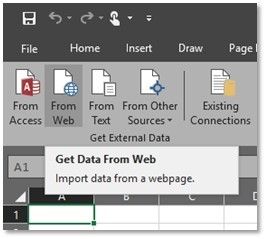

I am a developer for an application which relies upon this for key reporting functionality.
It's only now, when trying to find out why it's broken, that I find out that this had been asked.
It's broken because the new wizard is no longer recognising that the http-basic authentication has succeeded and thinks there was a significant connection issue, causing it to simply error rather than import any data.
The discussion here: https://excel.uservoice.com/forums/304921-excel-for-windows-desktop-application/suggestions/19310818-restore-the-pasting-of-tab-separated-text-into-col relates to this, but refers simply to the breaking of the tab separation recognition in the <pre> block. Today I've got the new wizard and Excel is not recognising that it has successfully authenticated with the web service.
I can see from the web access logs and the application audit that the data was produced and supplied to the requesting client.
I would appreciate some help in diagnosing this problem. Ideally before we try to demonstrate it to customers at 9am EDT today, but ...
Is there someone that can help me?
Thanks
- Guy HunkinJun 22, 2017
Hi there,
Just to clarify - are you using the legacy Web wizard or Power Query one?
Guy
- Excel Team
- Tim ScottAug 31, 2017Tin Contributor
Guy,
Sorry it's taken a while to reply - I don't recall an email notifying me that you had queried and stumbled back to the community by other means.
We can use the legacy one for the http-basic authentication as that still works (when we happen to get it proferred by Excel, but that seems random, unpredictable and reducing in frequency).
I cannot get the new power query connector to recognise that it has successfully authenticated, I posted this early on the Excel User Voice discussion:
"Just updated to Version 1707 (Build 8326.2076 Click-to-Run)
In-house diagnosis shows that when accessed via a web browser, the service responds with and http/401 and then (after entering username/password) an http/200 and the data is shown in the browser.
When attempted in Excel, the access log on the web service shows nothing. The only evidence that an attempt has been made to connect to the web service is an update to some temporary files within the application used to manage the compilation and execution of the Java classes.
When I debug the application and present Excel with a URL it has not previously known, I see that Excel requests the page initially and correctly interprets the http/401 response, asking for credentials.
On entering credentials, it then sends a request with a correct authorization header* three times. It then reports incorrectly that the credentials are invalid and whatever you change (username or password) will never return to the web service to request the page again until you restart Excel and try again.I really don't know where to go from here. As far as I can tell from a web service provision point of view, the web service is behaving correctly. Why is Excel not recognising this?
* correct: identical in content to that passed by a browser which then receives the results"
You may also wish to look at the cumminity post at: https://techcommunity.microsoft.com/t5/Get-and-Transform-Data/Unable-to-Connect-to-Web-Source-With-Credentials-in-Power-Query/m-p/100748/highlight/false#M258
Thanks,
Tim
