Forum Discussion

kevs44
Apr 07, 2026Tin Contributor
How total up hours?
Ive tried to total up hours with autosum, but not work. Thanks Mac

Riny_van_Eekelen
Apr 08, 2026Platinum Contributor
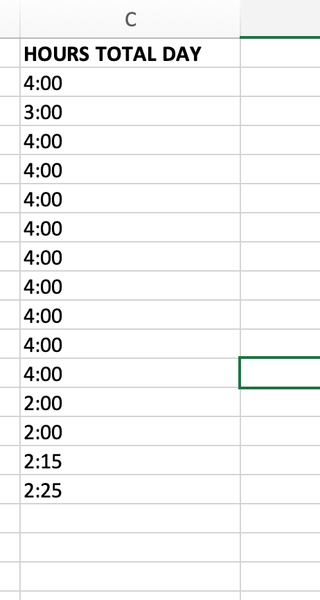
Provided that these are real time values, you can enter a formula =SUM(C2:C16) where you want the total to be.
Then apply a custom format to that cell like [hh]:mm. That will tell Excel it's dealing with a duration, not a clock time. Leaving the cell in its default format will wrap after every 24 hours and display the remainder as clock time.
Example attached.

kevs44
Apr 09, 2026Tin Contributor
Thanks only thingis then Riny ... best to move hours to a blank column on right correct, ones you want, maybe just one week of... keep original columns no formulas?