Forum Discussion

Hide/unhide rows using a button
 Jul 30, 2024
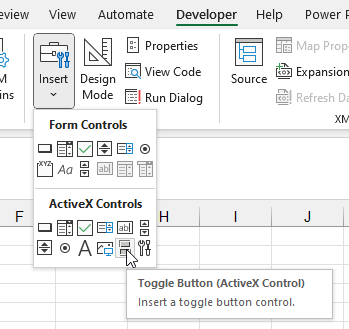
Hi, try changing the reference in the button 2. as i see, the button 2 is referencing to the button1 in your code.
Private Sub ToggleButton1_Click()
Dim xAddress As String
Dim splitAddress As Variant
Dim btn As ToggleButton
xAddress = "68:72"
splitAddress = Split(xAddress, ",")
If ToggleButton1.Value Then
For Each Var In splitAddress
Application.ActiveSheet.Rows(Var).Hidden = True
ToggleButton1.Caption = "+"
Next VarElse
For Each Var In splitAddress
Application.ActiveSheet.Rows(Var).Hidden = False
ToggleButton1.Caption = "-"
Next Var
End If
End SubPrivate Sub ToggleButton2_Click()
Dim xAddress As String
Dim splitAddress As Variant
xAddress = "80:90"
splitAddress = Split(xAddress, ",")If ToggleButton2.Value Then
For Each Var In splitAddress
Application.ActiveSheet.Rows(Var).Hidden = True
ToggleButton2.Caption = "+"
Next VarElse
For Each Var In splitAddress
Application.ActiveSheet.Rows(Var).Hidden = False
ToggleButton2.Caption = "-"
Next Var
End If
End Subthis works for me. I dont know if this is what you wanted to do
Hi, try changing the reference in the button 2. as i see, the button 2 is referencing to the button1 in your code.
Private Sub ToggleButton1_Click()
Dim xAddress As String
Dim splitAddress As Variant
Dim btn As ToggleButton
xAddress = "68:72"
splitAddress = Split(xAddress, ",")
If ToggleButton1.Value Then
For Each Var In splitAddress
Application.ActiveSheet.Rows(Var).Hidden = True
ToggleButton1.Caption = "+"
Next Var
Else
For Each Var In splitAddress
Application.ActiveSheet.Rows(Var).Hidden = False
ToggleButton1.Caption = "-"
Next Var
End If
End Sub
Private Sub ToggleButton2_Click()
Dim xAddress As String
Dim splitAddress As Variant
xAddress = "80:90"
splitAddress = Split(xAddress, ",")
If ToggleButton2.Value Then
For Each Var In splitAddress
Application.ActiveSheet.Rows(Var).Hidden = True
ToggleButton2.Caption = "+"
Next Var
Else
For Each Var In splitAddress
Application.ActiveSheet.Rows(Var).Hidden = False
ToggleButton2.Caption = "-"
Next Var
End If
End Sub
this works for me. I dont know if this is what you wanted to do