Forum Discussion

GKE2019
Apr 11, 2022Brass Contributor
Hide collums that are before the current date
Hello, I wanted to hide the collumns(G2:NG2) that came before the date of today(D2). So for example, today 11/04/2022. All the dates before that should be hidden But so far I got this: D...
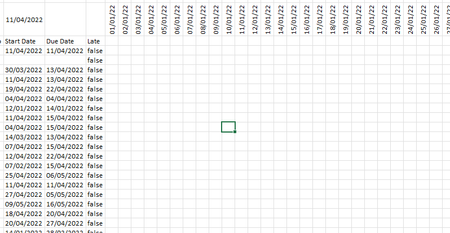
- Apr 11, 2022
Like this:
    Dim rng As Range
    Dim cell As Range
    Application.ScreenUpdating = False
    Set rng = ActiveSheet.Range("G2:NG2")
    For Each cell In rng
        If cell.Value < Date Then
            cell.EntireColumn.Hidden = True
        Else
            Exit For
        End If
    Next cell
    Application.ScreenUpdating = True

HansVogelaar
Apr 11, 2022MVP
Like this:
    Dim rng As Range
    Dim cell As Range
    Application.ScreenUpdating = False
    Set rng = ActiveSheet.Range("G2:NG2")
    For Each cell In rng
        If cell.Value < Date Then
            cell.EntireColumn.Hidden = True
        Else
            Exit For
        End If
    Next cell
    Application.ScreenUpdating = True