Forum Discussion

Help with Formula

IF….
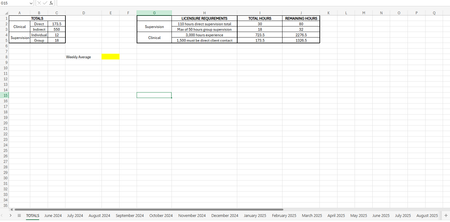
Each month's sheet is named as "June 2024", "July 2024", "August 2024", etc.
Column A contains dates, and Column D contains the weekly total values.
The weekly totals are calculated for every 5 rows (workweek) in each month's sheet.
…You want to calculate the average of weekly totals up to today’s date.
=AVERAGE(IF('June 2024'!A1:A100 <= TODAY(), 'June 2024'!D1:D100),
IF('July 2024'!A1:A100 <= TODAY(), 'July 2024'!D1:D100),
IF('August 2024'!A1:A100 <= TODAY(), 'August 2024'!D1:D100),
IF('September 2024'!A1:A100 <= TODAY(), 'September 2024'!D1:D100))
Make sure to enter the formula using Ctrl+Shift+Enter if you are using an older version of Excel that requires array formulas. This will ensure that the IF conditions are properly evaluated across the ranges.
My answers are voluntary and without guarantee!
Hope this will help you.