Forum Discussion

Help with Excel
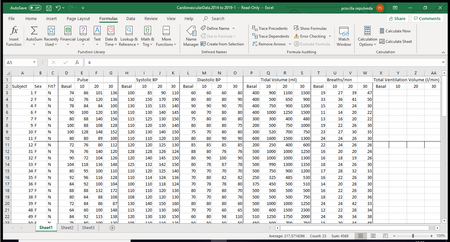

Are you trying to enter the formulas in columns X - AA? In X3, type =(P3*T3)/1000 then hit Enter. You can then copy (Ctrl + C) and paste (Ctrl + V) down to all your rows and across to all your columns. priscillamaria

Hi thank you for the help but it didn't work. I don't know what I'm doing wrong. It either gives me the same number as the one I already calculated or it does nothing.crieb
- PeterBartholomew1Oct 26, 2019Silver Contributor
Why don't you post a sample of your workbook, I am sure one of the others will enter the formulas for you to start you off.
My approach is different and only relevant to Office 365 users with dynamic arrays. I don't enter data except without first naming the data input ranges. The formula I write into cell X3 is then
= TidalVolume * Breaths / 1000
Press Enter, and the array spills to provide a complete dataset. There are also more traditional approaches closer related to the other solutions to your problem.
- priscillamariaOct 27, 2019Copper Contributor
i tried this and all i got was #### in the cell, i think im just gonna have to do one by one like i was doing before, but its just taking too long. thank you for your help.
- PeterBartholomew1Oct 27, 2019Silver Contributor
I am using a version of Excel that calculates formulas as arrays by default. The same formula on your machine might well generate value errors because your version of Excel fails to pick out a single value from a 2D range to use in a given formula.
If you select identical sized blocks of data to multiply and then commit the formula in a correspondingly sized formula block with Ctrl+Shift+Enter you should get the values you want. Although simple in concept, the traditional Excel interface makes heavy weather of CSE arrays and most people prefer to avoid them. Only with Office 365 do array formulas become easier to work with than the traditional practice of single-cell relative referencing and its multitudes of copied formulas.
