Forum Discussion

Help with Excel
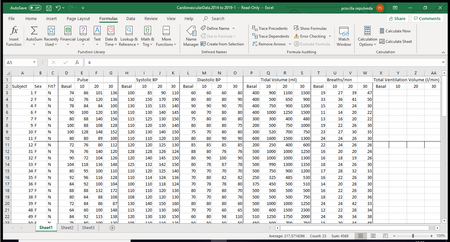

Are you trying to enter the formulas in columns X - AA? In X3, type =(P3*T3)/1000 then hit Enter. You can then copy (Ctrl + C) and paste (Ctrl + V) down to all your rows and across to all your columns. priscillamaria
 priscillamariaOct 26, 2019Copper Contributor
Hi thank you for the help but it didn't work. I don't know what I'm doing wrong. It either gives me the same number as the one I already calculated or it does nothing.crieb
- PeterBartholomew1Oct 26, 2019Silver Contributor
Why don't you post a sample of your workbook, I am sure one of the others will enter the formulas for you to start you off.
My approach is different and only relevant to Office 365 users with dynamic arrays. I don't enter data except without first naming the data input ranges. The formula I write into cell X3 is then
= TidalVolume * Breaths / 1000
Press Enter, and the array spills to provide a complete dataset. There are also more traditional approaches closer related to the other solutions to your problem.
- priscillamariaOct 27, 2019Copper Contributor
i tried this and all i got was #### in the cell, i think im just gonna have to do one by one like i was doing before, but its just taking too long. thank you for your help.
 nabilmouradOct 23, 2019MVP
Hi
You can select the whole range upfront (the 63 Cells)
The cell from which you started the selection is different in color (called Active Cell)
Type an equal sign >> Create the Formula in the Active Cell >> Followed by hitting CTRL + Enter (Not Enter) >> The formula is created in the entire range.
Hope that helps
Nabil Mourad
