Forum Discussion

DEllis1440
Feb 03, 2022Copper Contributor
Global conversion of 'fill colour' needed, e.g. find 'fill colourA' ' replace with 'fill colour B'
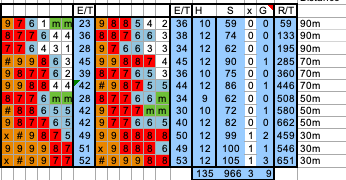
I had an Excel spreadsheet created in October 2015 which contained a lot of conditional formatting, specifically assigning colours to cells depending on their numerical values. It consisted of nearly...
- Feb 03, 2022
Try Excel menu > Preferences > Color > Copy Colors From

HansVogelaar
Feb 03, 2022MVP
The old workbook probably had a custom color palette. You can import it into the new workbook:
- Open the old and new workbooks.
- Activate the new workbook.
- Select File > Options.
- Select Save in the navigation pane on the left.
- Under 'Preserve visual appearance of the workbook', click Colors...
- Click the 'Copy colors from' dropdown.
- Select the old workbook.
- OK your way out.

DEllis1440
Feb 03, 2022Copper Contributor
Thanks but I can't find any mention of colour palette, nor do I have File > Options.
This is all I have under File
I tried the Save option but there were no options like the ones you showed.
I'm using Excel for Mac version 16.54 (Microsoft 365 subscription)
- HansVogelaarFeb 03, 2022MVP
Try Excel menu > Preferences > Color > Copy Colors From
- DEllis1440Feb 03, 2022Copper ContributorGreat! Thank you so much. It's restored the original colour palette.
Note for anyone else needing to do this, it's actually under
Excel menu > Preferences > Compatibility > Copy colours from