Forum Discussion

Filtering a group of data with two separate values.
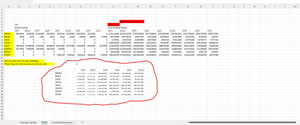

Sorry, I didn't catch what do you mean exactly "I need to subtract all". In your sample, in blue, we have quarters one by one as
i.e. in random order.
More general question - in any case you use Power Query and PivotTable, why don't do required calculations with them? That shall be more reliable.
Finally, on which Excel version and platform you are?

hi
Sergey Baklan
including several forums here before; Using the subject to do this with a power questioning but getting the solution. It actually works better for me.
Merges the retelling into the previous message. It would be better for me to restrict the periods from each other with a force query.
some semantic shifts may be due to translation error.
- SergeiBaklanJun 11, 2023Diamond Contributor
That's not optimal, I kept as the basis your formulae. Result is in green block
with
=LET( names, A9:A16, rate, LET( Price, FILTER( TCMB_Kur, TCMB_Kur[Döviz Cinsi] = P19 ), INDEX(Price, SEQUENCE(1, 6, 2)) ), blockStart, MATCH(Q20, 6:6, 0), dataPlus, FILTER( 8:16, (COLUMN(6:6) = 2) + ( (COLUMN(6:6) >= blockStart) * (COLUMN(6:6) <= blockStart + 5 + 1) ) ), range, DROP(dataPlus, 1), data, DROP(range, , -1), dataNext, DROP(range, , 1), quarters, DROP(TAKE(dataPlus, 1), , -1), (data - dataNext * (RIGHT(quarters) <> "3")) / rate )- deniztopcuJun 11, 2023Brass ContributorThank you for the hard work you put into it. I do not have these functions; LAMBDA() and SCAN() drop() take()
- SergeiBaklanJun 12, 2023Diamond Contributor
Does formula in attached file work in your environment?
- SergeiBaklanJun 11, 2023Diamond Contributor
Okay, on which Excel you are, do you have such functions as LAMBDA() and SCAN() ?