Forum Discussion

Expense report help
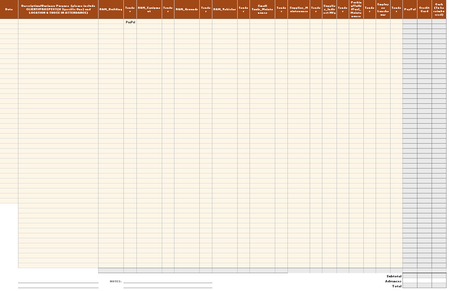
- Apr 26, 2018
This is kind of a tricky solution. It's a little tough to understand....but basically I'm using a SUMPRODUCT formula to get you the result you require.
=SUMPRODUCT(0+(D12:T12="PayPal"),0+ISODD(COLUMN(C12:S12)),C12:S12)
The ranges are offset to align the two arrays. So for the PayPal range I use D12:T12 but for the $$$ Range I use C12:S12. The reason this offset is necessary is in order to align the two ranges where the $$$ is adjacent to the Criteria.
Here's a simplified example of how the data is being evaluated...
0.00 Paypal
3.00 Credit
4.00 PayPal
5.00 PayPal
Then this evaluates the items that are = PayPal
0.00 True
3.00 Credit
4.00 True
5.00 True
Then we sum up the numbers $4 + $5 + $0 = $9
Here's a little more info on SumProduct for your reference:
https://www.ablebits.com/office-addins-blog/2016/08/24/excel-sumproduct-function-formula-examples/
https://exceljet.net/formula/sum-every-nth-column
Please see the attached example file for the solution.

Dusty,
It's not completely clear to me what you want in the gray columns. It was pretty hard for me to read the columns in your image.... but I have attached a sample workbook with a few formulas that I believe are what you are trying to accomplish:
 Dusty KlinectApr 25, 2018Copper Contributor
Sorry that I explained so poorly, but despite it all you were very close. I've updated the test expense report to be a "dumb" example of what I'm looking for. Thanks so much!
- Dusty KlinectApr 25, 2018Copper Contributor
I just realized my math is off on the column furthest right. Oops.
- Matt MickleApr 25, 2018Bronze Contributor
Dusty-
Try this attached file. It should do what you want. Hope this helps!