Forum Discussion

greg10e
Jan 17, 2020Copper Contributor
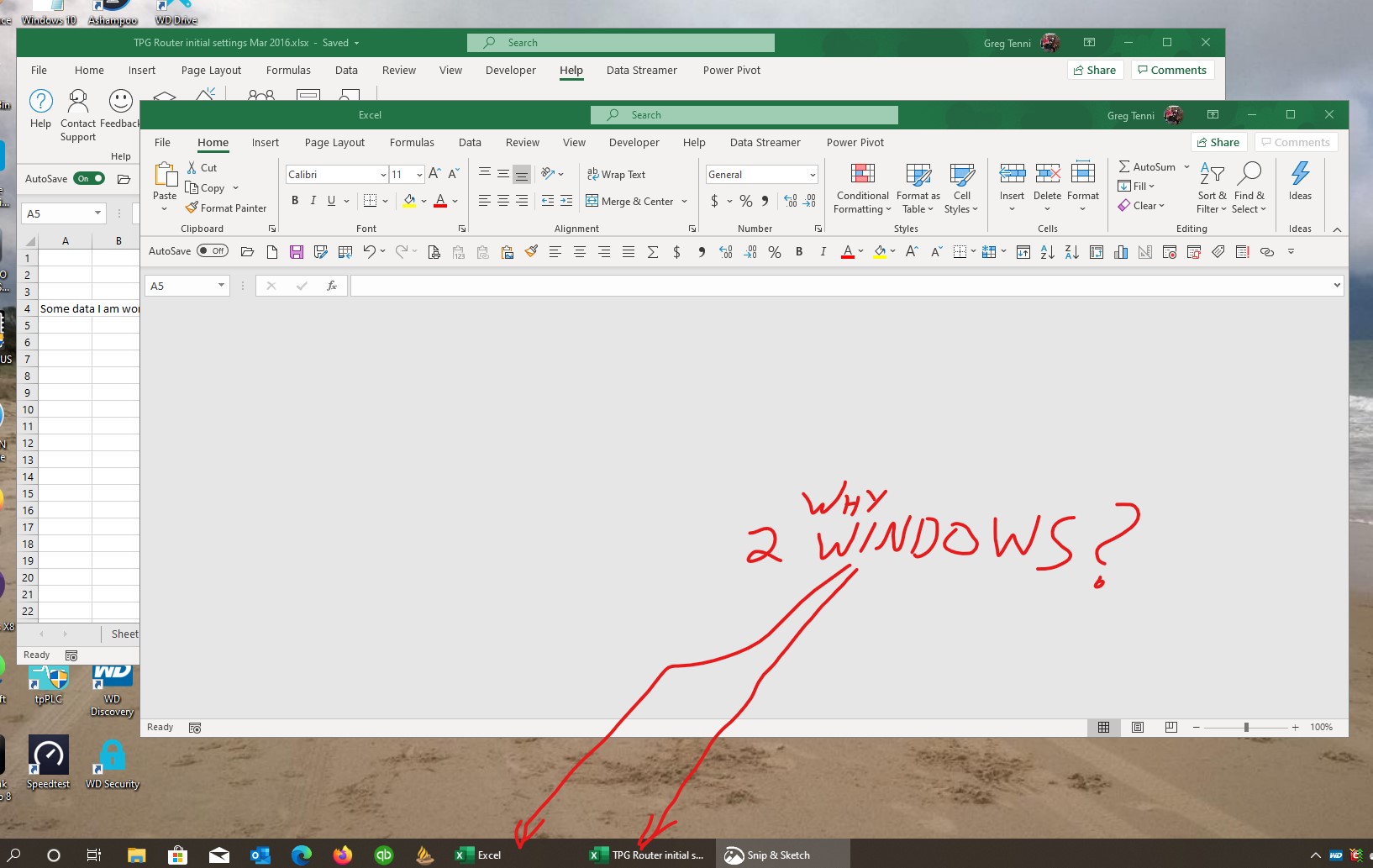
Excel opening ghost window.
Excel keeps opening a second (ghost) window whenever I open a file.
If I close down the ghost window, it closes the real window as well. How do I get rid of the ghost window?
3 Replies
- PascalKTeamIron ContributorDoes this happen when you open a specific file or does it also happen when you just open excel (from the start menu, without opening a specific file but only excel itself)?
 greg10eCopper Contributor
Happens whenever I open any Excel file from Windows Explorer or taskbar shortcut. (This is my usual mode of working with Excel.)
Doesn't happen if I open Excel then select File>Open.
Only happens on my desktop, not on my Surface - running latest Insider Slow release on both. 19041.21
- PascalKTeamIron ContributorThat's odd. Have you tried to repair office? I can't think of anything that might cause the issue.