Forum Discussion

NaoyaTakahashi
Jul 31, 2020Copper Contributor
Excel Office Scripts not work
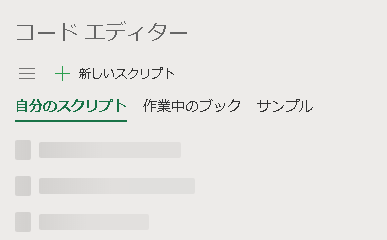
Sorry displayed Japanese. The code editor for scripts called from automations in Excel Online is no longer displayed. Also, when I try to call these scripts from Power Automate's "Ex...

JKPieterse
Jul 31, 2020Silver Contributor
If you mean that the Automate tab in Excel on-line is missing, try this:
- Allow third party cookies in your browser
If that does not help or is already set:
- Clear cookies (to a date where it still worked)
- Allow third party cookies in your browser
If that does not help or is already set:
- Clear cookies (to a date where it still worked)
 NaoyaTakahashiAug 02, 2020Copper Contributor
Thank you for your reply.
Unfortunately, clearing cookies didn't change the situation.
Better yet, I'll try to delete all the scripts.
Where is the script located in Excel?- NaoyaTakahashiAug 02, 2020Copper Contributor
Scripts locate "File -> Document -> Office Scripts"
Unfortunately, deleting all the scripts and then creating a new script also caused the same error.