Forum Discussion

Cube functions
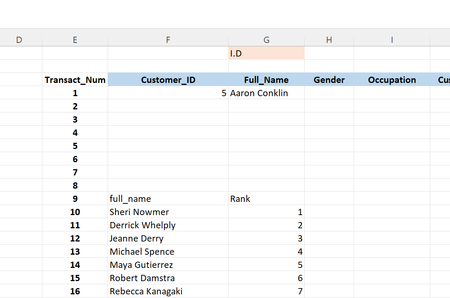

Let me illustrate on simple model where Id is not necessary sequential numbers.
Source table loaded to data model is sorted by Names
We may create 2 sets, one for IDs only, by default it will be sorted by ID:s
=CUBESET("ThisWorkbookDataModel", " [Table1].[ID].[ID].MEMBERS", "IDs" )Another one includes IDs and Names, will be sorted by Ids and returns Names
=CUBESET("ThisWorkbookDataModel", "( [Table1].[ID].[ID].MEMBERS, [Table1].[Name].[Name].MEMBERS )", "Table" )To return ID
=CUBERANKEDMEMBER("ThisWorkbookDataModel", $F$2, E5)To return Name
=CUBERANKEDMEMBER("ThisWorkbookDataModel", $G$2, E5)
- SergeiBaklanDec 18, 2021Diamond Contributor
Unfortunately don't remember any guidance, only samples in different places. And yes, if go deeper that's all about MDX. You may use practically all MDX functions and expressions within cube formulas.
- ashmackey85Dec 18, 2021Copper Contributor
Unfortunately the second function with the 2 sets isn't working for me. I'm getting a n/A error reading. I don't know what . I did actually try this before I made the post but in a way suggested in a mdx video on Youtube using {} to encase the joined members but that didn't work which brought here. But I'm sure we're both onto something, but I am blank. A
- SergeiBaklanDec 19, 2021Diamond Contributor