- Select File > Options.
- Click Add-Ins in the navigation pane on the left hand side.
- Select 'Disabled Items' from the Manage drop-down near the bottom of the dialog.
- Click Go...
- If Personal.xlsb is listed there, select it, then click Enable.
- Close the dialog and the Options dialog.
- Quit and restart Excel.
Forum Discussion

Ron_Summers
Aug 08, 2021Copper Contributor
Creating the PERSONAL.xlsb workbook
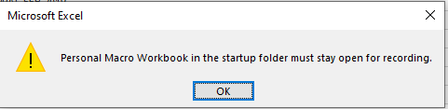
Platform: Windows 10 Pro; Desktop PC; Office 365 When I try to create the PERSONAL.xlsb workbook by following the HELP instructions, at step 3, this message appears: Then, when I click...

HansVogelaar
Aug 08, 2021MVP
Try the following: