Forum Discussion

vba Function for COUNT Condition Color Cells
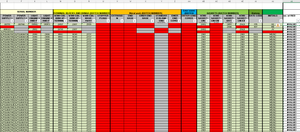
- Aug 30, 2022
1) Copy the following code into a standard module.
Sub CountColors()
    Dim r As Long
    Dim m As Long
    Application.ScreenUpdating = False
    m = Range("E:AJ").Find(What:="*", SearchOrder:=xlByRows, SearchDirection:=xlPrevious).Row
    For r = 4 To m
        Cells(r, 37).Value = CountRed(r)
    Next r
    Application.ScreenUpdating = True
End Sub

Function CountRed(r As Long) As Long
    Dim c As Long
    For c = 5 To 36 ' E to AJ
        If Cells(r, c).DisplayFormat.Interior.Color = vbRed Then
            CountRed = CountRed + 1
        End If
    Next c
End Function
2) Run the Countcolors macro once to populate column AK. It can easily be expanded if you want to count green and grey in other columns.
3) Right-click the sheet tab.
Select 'View Code' from the context menu.
Copy the following code into the worksheet module.
Private Sub Worksheet_Change(ByVal Target As Range)
    Dim rng As Range
    Dim r As Long
    If Not Intersect(Range("E4:AJ" & Rows.Count), Target) Is Nothing Then
        Application.ScreenUpdating = False
        Application.EnableEvents = False
        For Each rng In Intersect(Range("E4:AJ" & Rows.Count), Target).Rows
            r = rng.Row
            Cells(r, 37).Value = CountRed(r)
        Next rng
        Application.EnableEvents = True
        Application.ScreenUpdating = True
    End If
End Sub
This will update the count automatically when you edit cells in columns E to AJ.


I'd use a much simpler solution without any VBA.
In the attached workbook, I have inserted the correct answers in column B, and used that for both the conditional formatting (now a single rule for all rows!), and for the calculation of the number of correct answers per student.
- HansVogelaarJul 14, 2023MVP
Perhaps
=IF(SUM(--(O5:O34=$B$5:$B$34))=0,"",=SUM(--(O5:O34=$B$5:$B$34)))
or
=IF(COUNTA(O5:O34)=0,"",SUM(--(O5:O34=$B$5:$B$34)))
- rgall005Jul 14, 2023Copper ContributorI want it not to return a zero count when O5:O34 is completely blank. With just the SUM formula in there is returns zero, which transposes to another sheet.
- HansVogelaarJul 14, 2023MVP
If a cell in O5:O34 is blank, it won't be counted since it is not equal to the correct answer in column B.
If some cells in B5:B34 could be blank for some reason, you could use
=SUM(($B$5:$B$34<>"")*(O5:O34=$B$5:$B$34))
- rgall005Jul 14, 2023Copper ContributorHans,
How would I not count blank cells in a column in the formula you did =SUM(--(O5:O34=$B$5:$B$34))?
Thanks - rgall005Jul 10, 2023Copper Contributor
HansVogelaar, Thanks that does exactly what I need. I was missing the simplest of solutions.