Forum Discussion

Rabbi Issamar Mandel
Nov 30, 2017Copper Contributor
Create a Summary Sheet based on Variable Criteria
Hi,
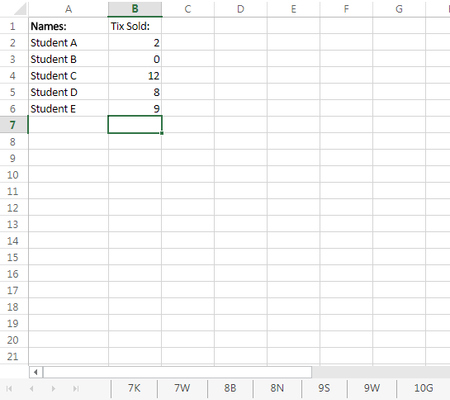
I have a workbook tracking the progress of a school-wide campaign in which students are selling raffle tickets. Each sheet represents a class, and on each sheet, Column 1 is the students' names...

Willy Lau
Dec 01, 2017Steel Contributor
I hope this is not too late.
Steps:
- Make your data as a table, named "DataTable"
- Define a name, "Hit_0"
=--(DataTable[Tix Sold:]=0)*ROW(DataTable[Tix Sold:])
This will make a array, and its size is equal to your data volume with zero value, except those row that tix sold is zero, which will the the actual row number in worksheet. - We can use SMALL formula to get them. HOWEVER, the first thing to do is to tell SMALL formula to ignore those zero data. What you need to do is to define a name, F_Hit_0
=IF(Hit_0=0,"X",Hit_0)
This will make those zero data to "X", and SMALL formula will ignore it - In the cell which is just under the cell "0 Tix",
=IFERROR(INDEX(DataTable[[#All],[Names:]],SMALL(F_Hit_0,ROW(A2)-ROW($A$2)+1),1),"")
ROW(A2)-ROW($A$2)+1 is for SMALL formula to extract from the 1st matching row - Use Fill-Handle to copy the formula to the cells below that it.
- You can create other name for other range of Tix Sold.
- e.g. Hit1_5
=--(DataTable[Tix Sold:]>0)*--(DataTable[Tix Sold:]<=5)*ROW(DataTable[Tix Sold:])