Forum Discussion

Complicated formula to search for certain data
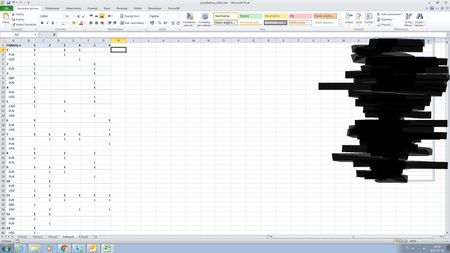

I'll give more details later on today, right now just 40 minutes before my flight. Could you please copy your formula and paste it here to check how exactly you use it.
And please clarify when you compare monthly transaction you take average for some previous months or compare current month to only previous.

I copied exactly your formula, and I also wrote a date in U1 :)
=JEŻELI(SUMA.ILOCZYNÓW(($D$2:$D$82=$D73)*($A$2:$A$82>=($U$1-90)));"Pays"; "Didn't pay")
Excel automaticly changed your english formula, for one in mine version but it's the same.
I think that average would be better, but whatever easier to do I will be pleased with :)
Have a safe and nice flight Sergei!
- SergeiBaklanAug 03, 2017Diamond Contributor
Hi Bartosz,
Let do step by step, First, are you sure your formula
=JEŻELI(SUMA.ILOCZYNÓW(($D$2:$D$82=$D73)*($A$2:$A$82>=($U$1-90)));"Pays"; "Didn't pay")
is copied from the cell in row 73? Here it shall be =$D2 (in bold above) for row 2, =$D3 for row 3, etc.
Another point, instead of
$D$2:$D$82 you shall use something like $D$2:$D:300 or even better the $D:$D
The same is for $A2:$A$82 - it shall be the same range.
- Bartosz SzymańskiAug 03, 2017Brass Contributor
if you could explain me ow exatlcy does your formula work, cause from I understood when sb "not pays" that mean that he didnt make any transaction in last 90 days, right?
BTW I'll check if your suggestions work when I'll get back to work tommorow, cause i dont have access to the file right now.
- SergeiBaklanAug 03, 2017Diamond Contributor
Okay, how it works. I'll be based on my example, i.e. on formula in the helper cell for row #2.
=IF(SUMPRODUCT(($D$2:$D$82=$D2)*($A$2:$A$82>=($U$1-90))),"Pays", "Didn't pay")
First in SUMPRODUCT
($D$2:$D$82=$D2)
takes your entire range from second to 82nd rows and compare with D2. If it match it returns 1 (TRUE), othwervise FALSE (0). As result you have an array like {1,0,0,...1,..}
Second expression
($A$2:$A$82>=($U$1-90)
returns for the same range an array where the payment was done within last 90 days (TRUE/1) or not (FALSE/0). As the result an array like {0,0,...1,...}.
After that SUMPRODUCT do exactly what it name means, i.e. sum of these two arrays product. In product of these arrays you have 1 where the customer is the same as in D2 and payment was done within lates 90 days; otherwise 0. Resulting array before sum will be like {0,0,...1,0,...}. The sum on it returns how many times the customer in D2 paid within latest 90 days.
When you repeat the same for every row, i.e. for customers in D3, D4, etc. If number of payments was >0 for the customer in the row (TRUE) you assign the value "Paid", othrewise (FALSE) "Didn't pay".
Not sure my explanantion is clear enough. You may check how SUMPRODUCT works for example here https://exceljet.net/excel-functions/excel-sumproduct-function
- Bartosz SzymańskiAug 03, 2017Brass Contributor
And I have another problem, how to aply on file like this frequency function, to find out if there are clients that for intance make transaction only on mndays or thursday :)