Forum Discussion

Change drop down list
 May 27, 2021
Hi,
The cell dropdown options should be coming from a range (a list of possible values) that is referenced.
> Add or change values in the current list (wherever it is)
> Select the cells with the dropdown menu
> Click Data Tab > Data Validation
> Change the Source range to include your new valuesThe new values should now show in the dropdown list.
Hi,
The cell dropdown options should be coming from a range (a list of possible values) that is referenced.
> Add or change values in the current list (wherever it is)
> Select the cells with the dropdown menu
> Click Data Tab > Data Validation
> Change the Source range to include your new values
The new values should now show in the dropdown list.
 RamonpraewMay 27, 2021Copper Contributor
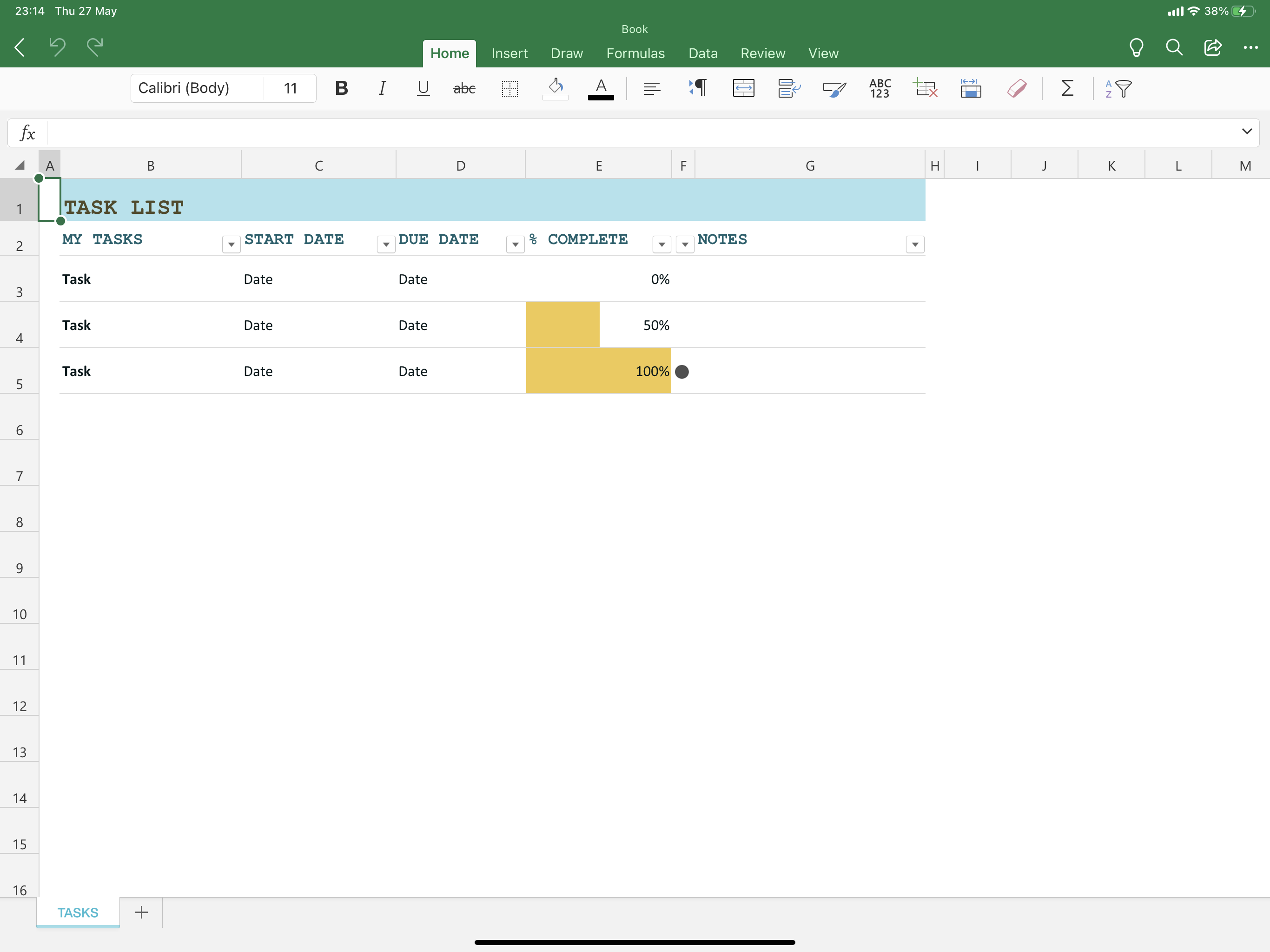
StoneKiwi thank for your kindness but there is no “data validation” in data tab ...
- StoneKiwiMay 27, 2021Iron ContributorRamonpraew
Hi,
Are you using Excel on an Ipad?
Unfortunately these features are not available on the Ipad version of Excel.
You will need to open the Excel file on a PC and follow my previous instructions then send the file back to your Ipad for it to work.
Regards,
StoneKiwi- RamonpraewMay 28, 2021Copper Contributor
StoneKiwi I see. Best regards.
