Forum Discussion

Dalhart7177
Mar 08, 2022Copper Contributor
Attendance Spreadsheet using a Macro
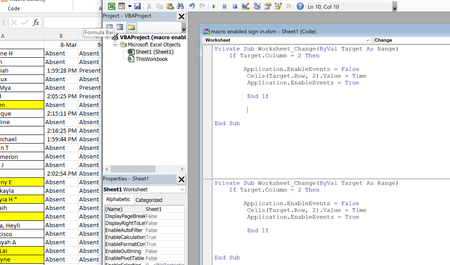
Hello Everyone, I am not new to Excel, but only use the basic functions of the spreadsheet, it is probably one Office product where I have the least experience. I am trying to update our student at...

Dino50
Mar 09, 2022Copper Contributor
A suggestion
Create a named range (let's call it 'Calendar'), including all columns ad rows of your list.
Then use a simple DoubleClick event like this
Private Sub Worksheet_BeforeDoubleClick(ByVal Target As Range, Cancel As Boolean)
Application.EnableEnvents = False
If Not Intersect(Range("Calendar"), Target) Is Nothing Then
Target.Value = Time
End If
Application.EnableEvents = True
Cancel = True
End Sub
You have no need of Application.EnableEvents = True and Application.EnableEvents = False if you have no Private Sub Worksheet_Change(ByVal Target As Range) routine.