Forum Discussion

Dalhart7177
Mar 08, 2022Copper Contributor
Attendance Spreadsheet using a Macro
Hello Everyone, I am not new to Excel, but only use the basic functions of the spreadsheet, it is probably one Office product where I have the least experience. I am trying to update our student at...
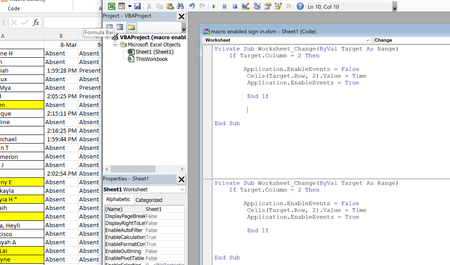

HansVogelaar
Mar 08, 2022MVP
I'd remove the code and simply press Ctrl+Shift+; to insert the time when needed.
 Dalhart7177Mar 08, 2022Copper Contributor
I have multiple people coming in at the same time so that is more time consuming than doing a click and selecting or a double click to change. Thanks for the suggestion
- HansVogelaarMar 09, 2022MVP
Dalhart7177 Simply selecting a cell (whether by clicking in it or by using the keyboard) is dangerous - it is far too easy to do that by accident.
Double-clicking would be an option - it is a more deliberate act.
Remove the code in the worksheet module (if it's still there), then paste the following code into it:
Option Explicit

Private Sub Worksheet_BeforeDoubleClick(ByVal Target As Range, Cancel As Boolean)
    If Target.Column > 1 And Target.Row > 1 Then
        Cancel = True
        Target.Value = Time
    End If
End Sub