Forum Discussion

robustnano3711
Oct 22, 2026Copper Contributor
Advanced Filtering encounters an error in Excel for Mac
I am trying to use advance filtering to find unique rows in a spreadsheet and paste them into a specified empty worksheet. Using Golden Gate 27.0.1 with Excel. How do I fix this?
 Oct 22, 2026
When Advanced Filter copies results to another worksheet, start from the destination sheet, not the source sheet.
- Open the empty destination sheet and select A1.
- Choose Data > Advanced Filter, then Copy to another location.
- For List range, select the source data, including its column headers.
- Leave Criteria range blank, set Copy to to the destination’s A1, and check Unique records only.
- Click OK.
Select the ranges using the range-picker buttons to avoid mistyped sheet references. Each source column should have a nonblank, distinct header.
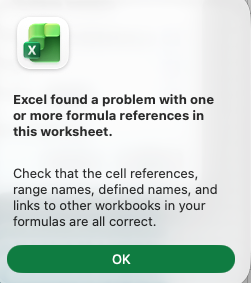
The message in your screenshot is a general reference error, so it doesn’t identify the exact cause. If the steps above still fail, try the same operation with a small sample in a new workbook. If that works, check the original workbook’s defined names for #REF! errors under Formulas > Name Manager.

robustnano3711
Nov 01, 2026Copper Contributor
Many thanks to all who replied.