Forum Discussion

3D Maps Opening up Blank
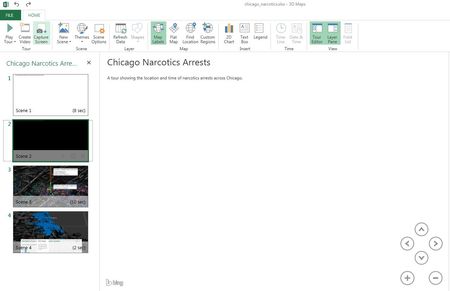

Any update on this? Did you ever find a solution? I am having the same issue.
Hi Michael,
I contacted support and they gave me a fix that worked for me - wanted to share it with you and any others googling this issue -
The issue may be your graphics card/driver. check to see if either is disabled/in need of an update by going to your control panel, and then device manager. From here, find the display adapters section, and ensure that all portions within this section are fully updated and enabled.
Upon update, my Excel 3D map/Bing Map functionality was restored.
Hope this works,
 Michael RomerNov 02, 2017Copper Contributor
James,
Thanks for your post. I updated my graphic card driver and it appears to have worked! Since I had posted such a long time ago, I ended up using Tableau Public, which turned out to be a good option for my needs.