Forum Discussion

Introducing Workspaces in Edge | New feature
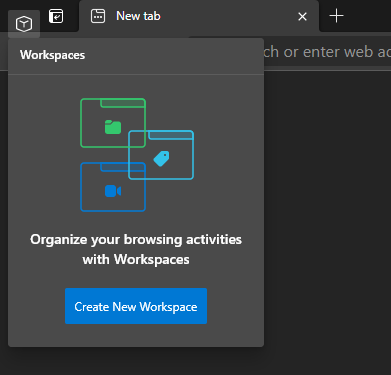

If you're still trying to make this work, the reason your command isn't working is because one (or both) of two things; you have existing flags set in edge://flags that are overwriting your argument, or the command you used doesn't work at all. Anyways if you want it to work reset your edge://flags and use my command line, it should work that way. There are some other things I enabled on there that you can disable if you'd like.
mac: "/Applications/Microsoft Edge Canary.app/Contents/MacOS/Microsoft Edge Canary" --enable-features=GlobalMediaControls,GlobalMediaControlsPictureInPicture,TabHoverCards,UnexpireFlagsM90,msEdgeTabGroups,msEdgeTabGroupsAutoCreate,msTabGroupsCollapseFreezing,msTabSearch,msWorkspaces &!
open -a "Microsoft Edge Canary" --args "--enable-features=GlobalMediaControls,GlobalMediaControlsPictureInPicture,TabHoverCards,UnexpireFlagsM90,msEdgeTabGroups,msEdgeTabGroupsAutoCreate,msTabGroupsCollapseFreezing,msTabSearch,msWorkspaces,msRightSideWorkspacesButton"
windows: "C:\Users\[username here]\AppData\Local\Microsoft\Edge SxS\Application\msedge.exe" --enable-features=GlobalMediaControls,GlobalMediaControlsPictureInPicture,TabHoverCards,UnexpireFlagsM90,msEdgeTabGroups,msEdgeTabGroupsAutoCreate,msTabGroupsCollapseFreezing,msTabSearch,msWorkspaces
add ",msRightSideWorkspacesButton" if you want the button to be on the right, but I don't think this works on mac. You can make a .app out of this by using automator. I've uploaded my own https://drive.google.com/open?id=1WVSmDAhJqt-3CdNxKhhcac90KlflVHNc, but you should probably make your own.

Daniel00000 Thank you so much - success! I just tried my command line argument approach and it still didn't work. I then built up an app using automator (your tip) and I now have Workspaces enabled in Canary on the Mac. Many thanks!
- Daniel00000May 16, 2021Brass Contributor
GregBurlingame No problem, also I tried using the open command you used before and it seemed to work better in automator (didn't keep the script running in the background like it did with launching directly). My final command looked like this:
open -a "Microsoft Edge Canary" --args "--enable-features=GlobalMediaControls,GlobalMediaControlsPictureInPicture,TabHoverCards,UnexpireFlagsM90,msEdgeTabGroups,msEdgeTabGroupsAutoCreate,msTabGroupsCollapseFreezing,msTabSearch,msWorkspaces,msRightSideWorkspacesButton"