Forum Discussion

Edge stopped working after latest Dev update
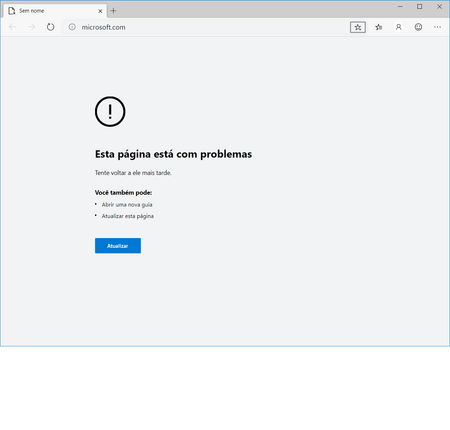
- Sep 30, 2019
julianonunes Weird: someone else just posted a very similar issue in another thread, but based on Edge Dev 78.
This article talks about some sandboxing restrictions that started in 78 & some incompatibilities:
https://textslashplain.com/2019/09/27/aw-snap-every-tab-crashes/
Here's a longer thread with similar and a few other solutions: https://techcommunity.microsoft.com/t5/Discussions/This-page-is-having-problems/m-p/816671
Would any of these fix your bug?
I'd definitely submit a Smiley, too: the more reports (and debug data) they can get, the better. If there is an incompatibility, there should be a far more graceful failure. This bug fails in a pretty destructive and unhelpful way.


so you tried Canary channel too and it's the same?

HotCakeX I tried all channels and I'm getting the same error on all of them.
- HotCakeXSep 30, 2019MVPOkay try this,
1. have the latest Edge insider canary on your system.
2. close all instances of Edge insider browser (check task manager to be sure).
3. navigate to here: C:\Users\USERNAME\AppData\Local\Microsoft\Edge SxS
[replace USERNAME with your Windows username]
4. permanently delete the folder called "User Data"
5. launch your Edge insider Canary browser again, load some websites to test and report back the results.- julianonunesSep 30, 2019Tin Contributor
HotCakeX I've closed all processes, even the MS Edge Update processes and deleted the User Data folder, but still couldn't get it working.
The oddest part is that even settings, about and other internal pages are not working too.
- HotCakeXSep 30, 2019MVP
Something is still blocking it..
You tried it only on Canary, right? because for Dev or Beta that folder would be in a different location.
can you please set the language to English and post a screenshot of the error message again?also try TDSSKILLER (a tool for detecting and removing rootkits and bootkits)
download link at the bottom of the page:
https://support.kaspersky.com/5350#block0