Forum Discussion

Microsoft Purview | Share block at external users
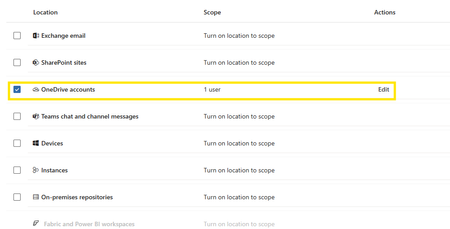

The Guest account itself is probably not the issue here.
An Entra ID user with UserType = Guest is still considered external by Microsoft 365/Purview. The #EXT# account created in the tenant does not make that user internal.
A couple of things are worth checking:
- Use the guest's real external SMTP address in the DLP rule, for example email address removed for privacy reasons, not the generated user_externaldomain.com#EXT#@tenant.onmicrosoft.com UPN.
- With “Block access for specific external domains or users”, DLP does not necessarily prevent the owner from creating the sharing link or sending the invitation. The expected enforcement happens when the targeted external user tries to open, preview or download the file. The proper test is therefore to sign in as that external user and try to access the shared document.
- Make sure the policy is actually enabled, not only in simulation/test mode, and allow time for the policy to propagate.
- Test with a supported document type such as DOCX, XLSX or PDF rather than an image.
MarkNewFilesSensitiveByDefault = BlockExternalSharing can also be useful, but it solves a different problem: it blocks external access to newly uploaded files while Purview is still scanning/classifying them. It should not be required simply to make a specific external-user block work.
So I would first verify:
external SMTP address -> active DLP policy -> share the document -> log in as the Guest -> attempt to open/download it.
If the Guest can still access the file after that, the next useful evidence would be the matching event in Purview Activity Explorer/Audit, because that will show whether the DLP rule was evaluated and why it did or did not match.