Forum Discussion

How to name Case in Switch activity using Get Metadata output
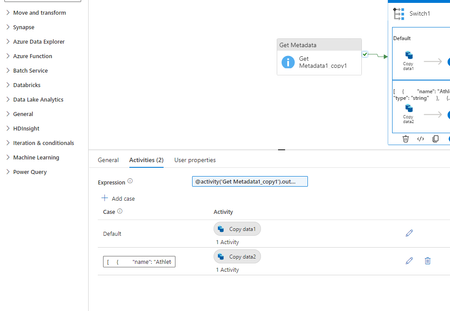

big_ozzie The error message you received indicates that the pipeline name you provided exceeds the allowed length and contains invalid characters.
You can create a pipeline name like this:
CasePipelineSwitch1_Athlete_Date_Team_Time_TimeSec_VIFT_kmhr_VIFT_ms
Note: Pipeline names start and end with letters, numbers, and dashes (-) or underscore (_). The maximum length for a pipeline name is 140 characters.
You can read more about https://learn.microsoft.com/en-us/azure/data-factory/control-flow-switch-activity?WT.mc_id=%3Fwt.mc_id%3Dstudentamb_357518
and https://learn.microsoft.com/en-us/azure/data-factory/control-flow-get-metadata-activity?WT.mc_id=%3Fwt.mc_id%3Dstudentamb_357518
If this post is helpful, please give my response a thumbs up! You can also mark it as the solution to help others find it easily.
Thanks