Forum Discussion

Marek_Belan
Jan 15, 2025Iron Contributor
Addin Eligible role to Subscription by powershell Question
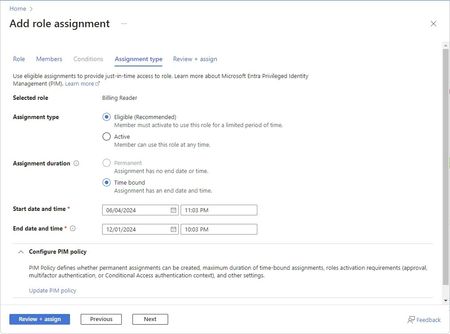
I need assign groups to roles for subscription by powershell (100+ groups and subsc) I need this was eligible so users in grop must use PIN to activate role. How to do this?

Marek_Belan
Jan 15, 2025Iron Contributor
This is wrong.
New-AzRoleAssignment doesn't have parameter AssignmentType.

Adeelaziz
Jan 16, 2025Brass Contributor
My apologies for the oversight. This is the updated script, I've tested it in my lab. Please update the parameters as needed.
# Import the CSV file
$groups = Import-Csv -Path "path\to\your\groups.csv"

# Connect to Azure
Connect-AzAccount

# Define the role
$roleDefinitionId = (Get-AzRoleDefinition -Name "Contributor").Id

# Loop through each group and assign the role
foreach ($group in $groups) {
    try {
        $groupName = $group.GroupName
        $resourceGroup = $group.ResourceGroup
        $scope = "/subscriptions/your-subscription-id/resourceGroups/$resourceGroup"

        $groupObject = Get-AzADGroup -DisplayName $groupName
        $groupId = $groupObject.Id

        # Define the GUID for the request
        $guid = [guid]::NewGuid().Guid

        # Define the start time in ISO 8601 format
        $startTime = Get-Date -Format o

        # Assign the role with eligible and time-bound settings
        New-AzRoleEligibilityScheduleRequest -Name $guid -Scope $scope -ExpirationDuration "PT8H" -ExpirationType AfterDuration -PrincipalId $groupId -RequestType AdminAssign -RoleDefinitionId $roleDefinitionId -ScheduleInfoStartDateTime $startTime

        Write-Output "Successfully assigned role to group: $groupName for resource group: $resourceGroup"
    }
    catch {
        Write-Error "Failed to assign role to group: $groupName for resource group: $resourceGroup. Error: $_"
    }
}

Write-Output "Role assignments completed."