Forum Discussion

macro not avaliable in this workbook
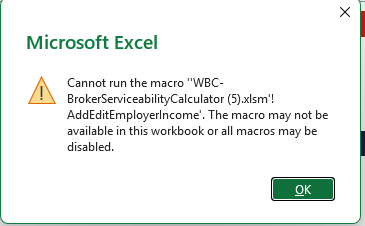

The screenshot shows Excel trying to run AddEditEmployerIncome from the calculator workbook, rather than an error with the number you entered. That message covers two possibilities: the macro is blocked, or the control points to a macro that is unavailable. Changing to ‘Disable VBA macros with notification’ does not repair a missing procedure or override an organisation’s policy. Keep a backup, then open Developer > Macros and select this workbook to check whether that procedure appears. If the error follows clicking a worksheet button, right-click it and inspect Assign Macro; ensure it targets the intended procedure in the current workbook. If the procedure is absent, obtain a fresh approved copy from the calculator’s author rather than inventing replacement code. If it exists but remains blocked, ask IT to check the file’s origin, publisher and applicable macro policy. Avoid enabling all macros globally.