Forum Discussion

Run-Time Error 3340: Do NOT have problem updates installed

 Microsoft
lwestberg II'm not sure I understand your question.
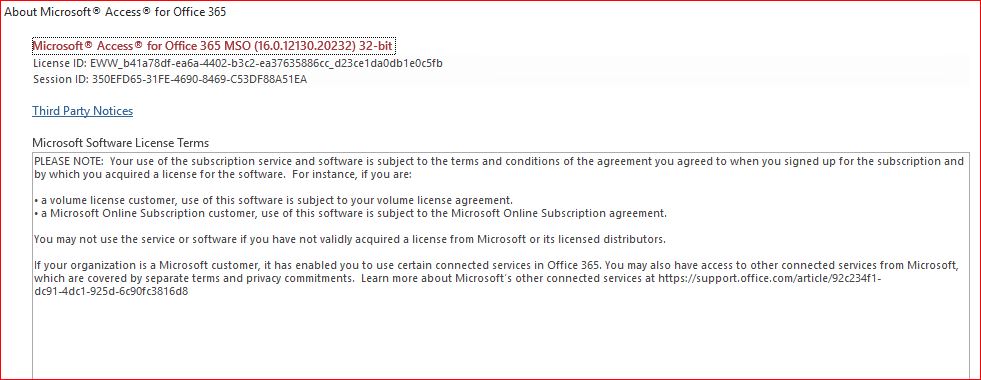
When you choose 'File', then 'Account', what does it say under 'About Access'?
If it doesn't show a Version/Build number there, if you click on About About Access, then what build number does it show then?
Shane


- Shane GroffNov 19, 2019
lwestberg You are on Office Insider channel, so I think the Update Now option is hidden inside the Office Insider button.
You might need to switch from Monthly-Targeted back to Monthly in order to ensure you get the fix right away (it will be available soon, regardless, but I know it is available now for Monthly channel).
- lwestbergNov 20, 2019Copper Contributor
Thanks for yout input I appreciate it. Most of our machines have the screen shots in there attachments. Do you have a suggestion?
Any help is appreciated
- Shane GroffNov 20, 2019
Can you follow the steps here: https://docs.microsoft.com/en-us/office365/troubleshoot/administration/automatic-updates
To see if you have a group policy setting here:
HKEY_LOCAL_MACHINE\software\policies\microsoft\office\16.0\common\OfficeUpdate
That may be hiding the Update Options button?