Forum Discussion

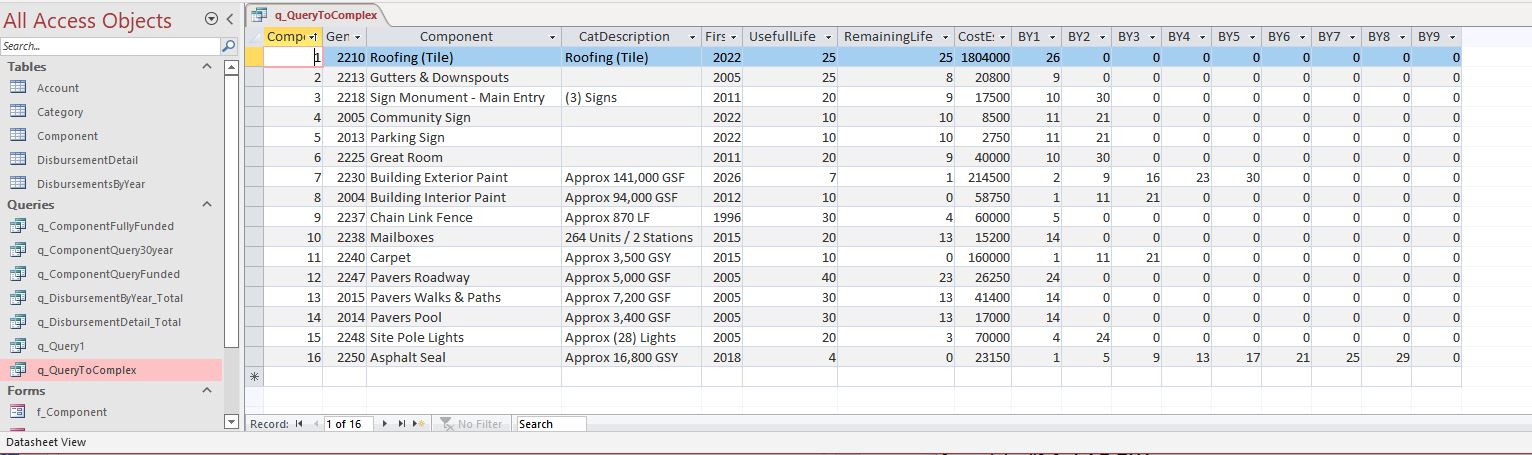
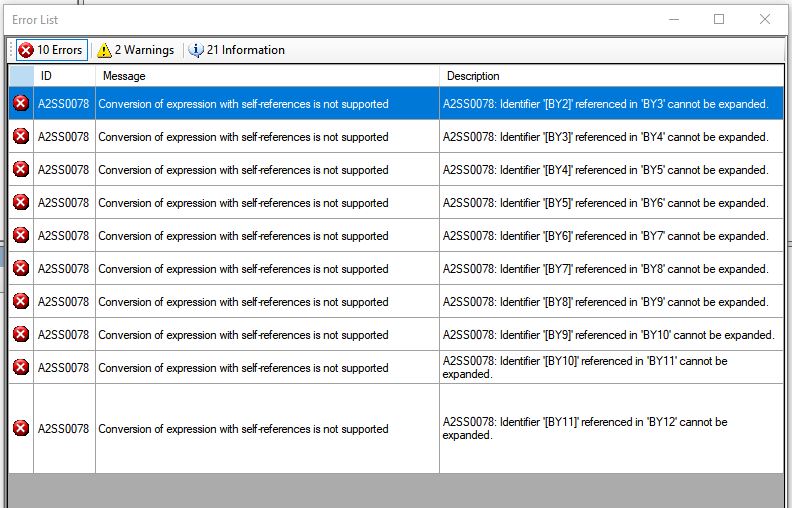
Query error message: "Too Complex"

- Oct 17, 2022
you can use a User-Defined-Function in your query (ms access) so you won't get the "Too Complex".
error. see Module1 for the function.
Open Query1 in design view and see how this function is being called.

I received code that address the issue in SQLExpresss (which follows). Would anyone know the Access SQL version of the following code?
select *,
BY2 = iif( BY1 + UsefullLife * 1 > 30, 0, BY1 + UsefullLife * 1),
BY3 = iif( BY1 + UsefullLife * 2 > 30, 0, BY1 + UsefullLife * 2),
BY4 = iif( BY1 + UsefullLife * 3 > 30, 0, BY1 + UsefullLife * 3),
BY5 = iif( BY1 + UsefullLife * 4 > 30, 0, BY1 + UsefullLife * 4),
BY6 = iif( BY1 + UsefullLife * 5 > 30, 0, BY1 + UsefullLife * 5),
BY7 = iif( BY1 + UsefullLife * 6 > 30, 0, BY1 + UsefullLife * 6),
BY8 = iif( BY1 + UsefullLife * 7 > 30, 0, BY1 + UsefullLife * 7),
BY9 = iif( BY1 + UsefullLife * 8 > 30, 0, BY1 + UsefullLife * 8),
BY10 = iif( BY1 + UsefullLife * 9 > 30, 0, BY1 + UsefullLife * 9),
BY11 = iif( BY1 + UsefullLife * 10 > 30, 0, BY1 + UsefullLife * 10),
BY12 = iif( BY1 + UsefullLife * 11 > 30, 0, BY1 + UsefullLife * 11),
BY13 = iif( BY1 + UsefullLife * 12 > 30, 0, BY1 + UsefullLife * 12),
BY14 = iif( BY1 + UsefullLife * 13 > 30, 0, BY1 + UsefullLife * 13),
BY15 = iif( BY1 + UsefullLife * 14 > 30, 0, BY1 + UsefullLife * 14)
from Component
cross apply (values ([RemainingLife] + 1)) t(BY1)

you can use a User-Defined-Function in your query (ms access) so you won't get the "Too Complex".
error. see Module1 for the function.
Open Query1 in design view and see how this function is being called.
- malcolm_p_galvin_jrOct 18, 2022Tin ContributorThank you!!