Forum Discussion

Export to Excel Error 1004 on range statement
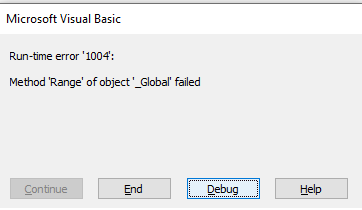

Access knows nothing about Excel, so using Range doesn't makes sense to it, instead you need to always prefix everything with an Object that you defined earlier (Excel, WorkBook, WorkSheet). So instead of
Set rng = .Range(Range("A1"), Range("A1").SpecialCells(xlLastCell))
Try
Set rng = .Range(.Range("A1"), .Range("A1").SpecialCells(xlLastCell))
You may also like to look at https://www.devhut.net/2017/03/15/ms-access-vba-export-recordset-to-excel/ as an alternative approach if need be.
Also, I just noticed you are using Objects, so Late binding, thus you should be declaring all the Excel constants that you use
Const xlLastCell = 11
Const xlSrcRange = 1
Const xlYes = 1
...
and if you are using Late Binding (which is always a good idea) be sure you don't have the Excel Reference selected.