Forum Discussion

Create a traffic light
- Sep 28, 2023
Hi,
1. Sure, how would the form know what's in the other form if it isn't open?
If you have to show the color with only the Projects form open then you have to either join the underlying tables with a query so that the Status value of Tools is reachable in the Projects form. Or if that's not possible, you have to store the value that triggers the color also in the Projects table.
It's not clear for me what you are describing in your points 2 and 3 or how the two forms or the underlying tables and values should be related to change the color.
BTW You've put the code into the form's After Update event procedure instead of the control's, but I think that would change nothing for your points 2+3.
Servus
Karl
****************
Access Forever
Access News
Access DevCon
Access-Entwickler-Konferenz AEK

Hello Karl,
Sorry but I think I don't understand.
Could you please explain how to do it?
The box (with the number 16777215) is a text box added later by me. Opening the conditional formatting, how should I set the values so that in the project mask, as the tool field changes, I get the color recorded in the tool mask at the status field?
Thank you very much.

Hi,
First, it's your turn to answer the question I already asked:
How do you set the color in the Tools form?
With which method, which field or control names, which conditions?
After knowing that, it may be possible to give more concrete instructions for the other form.
Servus
Karl
****************
Access Forever
Access News
Access DevCon
Access-Entwickler-Konferenz AEK
- MarcoCoffeeSep 28, 2023Copper Contributor
Hello,
sorry for not answering your questions.
I set the colors with conditional formatting; I set 3 rules like this:
Format only cells where the field value is: Equal to: "Condition1" - "Condition2" - "Condition3" and I assigned a different color to each one.- Sep 28, 2023
Salve,
Ok, then try this as a rule in the Conditional Formatting dialog of the text box in the Projects form:
L'espressione è Forms!Tools!Status="Consegnato"
and set the background to green. The same for the other two conditions.
"Tools" would be the name of the first form, that you have to adjust in the CF expression if it is different in reality.
If the Projects form only gets opened after the Tools form then this should be enough. If instead the Projects form is open while you change the status in the Tools form then you have to tell Access to update the display in the Projects form. This can be done manually by pressing <F5> or automated with a line of VBA code in the event After Update (Dopo aggiornamento) of the combo box in the Tools form:
Forms!Projects.Recalc
Where "Projects" would again be the form's name.
Ciao
Karl
****************
Access Forever
Access News
Access DevCon
Access-Entwickler-Konferenz AEK- MarcoCoffeeSep 28, 2023Copper Contributor
Hello,
we're almost there, I think.
The solution of the expression to put in the conditional formatting works, but I noticed these "problems":
1- If I open only the project mask the colors are not displayed; if I later open also the tool mask then it displays them
2-Either using the F5 key or the VBA code to update the colors do not change
3-Scrolling through the project mask records, the color displayed is always the one for the first record (as if the colors of subsequent records are not read)
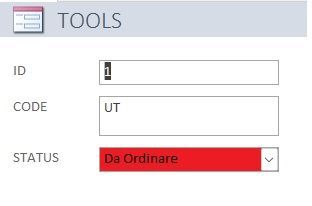
I do not exclude that I have made some mistakes. Below are some images to show you what I did.
Thanks