Forum Discussion

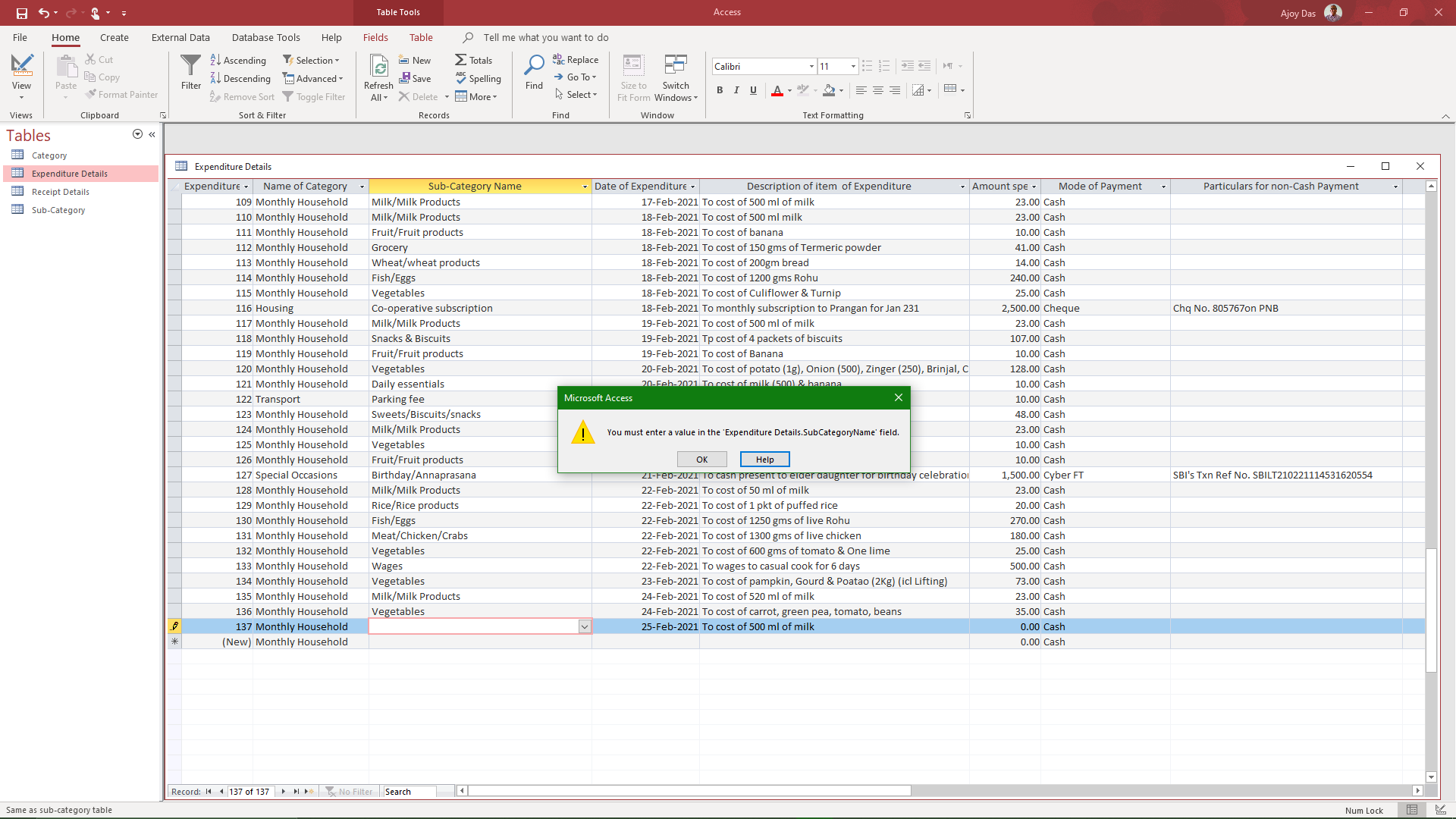
Access error screen does not close after Ok button of error message is clicked

Hi George
No, this is not a loop event. It occurred when I opened the Access app and was entering the first record of the day while erroneously entered a data of type different from what was set up for that field.
No. It was not Before the Update situation. The office 365 and Windows update were both up-to-date when this happened.

Sorry, perhaps I was not as clear as I hoped. I'm not talking about an update to the software. I'm talking about an Update event in a control on the form. Like this example, where failing to cancel and undo the attempted invalid entry sends the event into a loop as it tries to update, can't because of the response to the question, but still has the wrong value, so it triggers the before update event again.
Private Sub cboTestTimeOfDayID_BeforeUpdate(Cancel As Integer)
Dim lngMealItemCount As Long
With Me
If MsgBox(Prompt:="Click ""Yes"" to confirm you want to change this meal.", _
Buttons:=vbYesNo + vbCritical, _
title:="Change a Saved Meal?") = vbNo Then
Cancel = True
.cboTestTimeOfDayID.Undo
End If
End With
Exit Sub
End Sub
- Ajoy DasFeb 26, 2021Copper ContributorHi George
I am sorry I am not a technical person and as such not in a position to understand what you have meant to say. I wou[d be thankful if you kindly guide me in layman's language as to how to I can resolve this issue, whatever be the reasons. As I have said, I have been using MS Access for decades but have never before come across such a problem. In the alternative, you may advise if you are aware, of how to contact MS Access Support staff for a chat session for resolving this issue. I had tried through the Access Help option but the lady support staff to whom the chat session was entrusted by MS said I had landed in the Download and installation wing of office 365. As advised by her, I have brought the matter here for a plausible solution- George_HepworthFeb 26, 2021Silver ContributorAgain, apologies for the lack of clarity. What I meant is that the error is possibly (probably) caused when the Before Update event of that control runs because the value attempted is not valid. That triggers the error message. In the meantime, however, Access has tried to move focus to a new control, possibly because you clicked or tabbed to it. But it can't move focus because of that error, so the error message is displayed again, and into the loop it goes.
Note that, in my example, I highlighted two lines of code.
Cancel = True
.cboTestTimeOfDayID.Undo
Cancel stops the event from firing. Undo removes the invalid entry from the control. Together, they should forestall the repeated error.
However, I'm really only guessing based on experience. Try it out and see what results you get.- Ajoy DasMay 03, 2023Copper Contributor
No really. You may try restarting the computer at that stage. It might work.