Forum Discussion

Qassimi90
May 29, 2022Copper Contributor
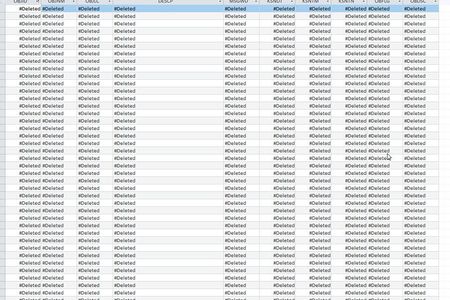
Access 2019 #Deleted Table status (Field NVARCHAR)
Hi, There has been an issue regarding Access 2019 displaying #Deleted status on certain table, for only certain windows user profile. Based on my analysis: 1. This happen to only certa...

George_Hepworth
May 31, 2022Silver Contributor
So to be clear.
- You installed ODBC Driver 17 on ALL users' computers.
- You relinked the tables in your Access FE to use that ODBC 17 driver.
- You distributed that updated Access FE to all users (who now have an Access accdb with links using ODBC driver 17 and they also have the ODBC 17 Driver installed)
- The problem of #deleted fields remains for all of your users with this updated configuration?
If so, we need to know more about YOUR specific situation please.

Qassimi90
May 31, 2022Copper Contributor
- No, we tested only one of the affected computer.
- ODBC Driver 17 already available in the computer but previously we only use SQL Server Driver.
- We setup a new DSN using ODBC Driver 17, import the tables back and check them. The result is still the same #deleted fields display.
- We using .mdb, not .accdb.
HQ already request us to downgrade the Access to 2016 version. So that is our solution for now.
- George_HepworthJun 01, 2022Silver ContributorI've added your experience to the reports to Microsoft. This is particularly unsettling as it represents a different variation on the problem. We also see that other databases, such as Postgres, are being impacted the same way.
- George_HepworthJun 01, 2022Silver ContributorThe MS Access team is reporting that this is now fixed.
"This should be fixed now in Current Channel (Preview) channel now, and the fix should be in Current Channel tomorrow." JlorbzJun 01, 2022Copper ContributorThank you.
The changes that break functionality like this are a serious concern for us. It would be good to see a detailed list for release. https://docs.microsoft.com/en-us/officeupdates/current-channel shows very little changed in the last update and nothing which suggested this problem could have been due an update.