Forum Discussion

YvesBeck
Feb 18, 2023Copper Contributor
Access : Automatic filling a field by typing
Hi all, i've been working with an Access Database for several years. The database works perfectly, but since I've upgraded from Windows 10 to Windows 11 Professional (64bit) the automated suggest...
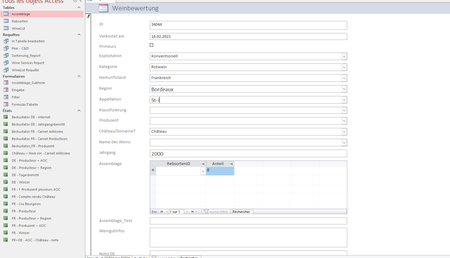

YvesBeck
Feb 19, 2023Copper Contributor
arnel_gpmany thanks for your input. Your solution did not solve the issue. But, actually, it's very tricky, the problem only occurs on a computer with Windows 11 Professional... i'm speechless 😞

George_Hepworth
Feb 19, 2023Silver Contributor
I do not see that problem with Windows 11, MS 365.
You didn't mention the version of Access you are using. What is it?
Can you replicate this same problem on a new form, with a new combobox bound to that same recordsource?
If so, please consider sharing a sample accdb exhibiting the problem for review.
If not, that suggests there is a problem with that one combo box and replacing it might resolve the problem.
- YvesBeckFeb 22, 2023Copper ContributorHi George,
I've tried with a new form and combobox, but it does not solve the issue.
I finally created a new user on my computer. When I was asked for a license to use access, i used a license I originally had for Microsoft Office 2016. Since that, everything works perfectly... with the new user account 😉 I'm ok with that solution. - YvesBeckFeb 19, 2023Copper ContributorMany thanks for your answer George !
I'll check the different points you mentioned and let you know.
I use this version: Microsoft® Access® pour Microsoft 365 MSO (Version 2301 Build 16.0.16026.20196) 64 bits