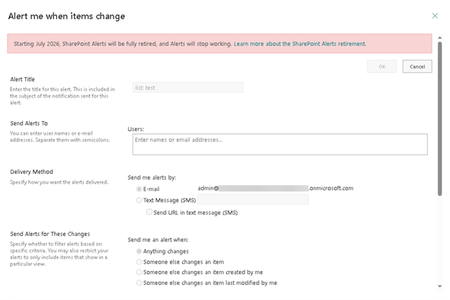
Microsofts own AI reponse admits that neither Rules nor PA effectively replicate Alerts functionality: https://learn.microsoft.com/en-us/answers/questions/5692244/sharepoint-alerts-power-automate-template-alternat
Creating alerts in SharePoint using Power Automate can indeed present some limitations compared to the traditional SharePoint alert system. Here are some points to consider based on your concerns:
- All Changes Trigger: Currently, Power Automate does not provide a straightforward way to create a flow that captures all changes (both creation and modification) in the same manner as SharePoint alerts. You may need to set up separate triggers for creation and modification events, which can complicate the flow.
- Email Format: The email notifications sent by Power Automate are different from those generated by SharePoint alerts. The default email format does not include details about changed columns, which can lead to a lack of context for users receiving the notifications.
- Scheduled Emails: Power Automate does not inherently support sending a scheduled email that summarizes changes since the last alert. This functionality would require a more complex setup, potentially involving storing previous states of items and comparing them to current states.
- User Experience: The complexity of creating flows in Power Automate can be a barrier for many users, especially those who are not familiar with the platform. The drag-and-drop interface may still pose challenges for users who are not technically inclined.
Given these limitations, your suggestion for Microsoft to enhance the alert system in SharePoint or to create a more user-friendly interface for Power Automate is valid. Many users would benefit from a solution that combines the ease of SharePoint alerts with the capabilities of Power Automate.

 Microsoft