Leverage the power and simplicity of lightweight approvals on any list or library with a few simple clicks!
Updated Mar 19, 2025
Version 1.0
Nate Tennant Microsoft
MicrosoftMicrosoft Microsoft
Nate Tennant do the Approvals in this scenario also have the time limitation that Power Automate Create and Wait for Approvals have? In other words, if an approval is sent to someone (especially if there are more than one sequential approval) does this timeout and fail to move on to subsequent approvers?
Likewise, can a user go back to an Approval after 30 days and view the approval history easily within the list/library or does that information get purged after X days?
 Microsoft
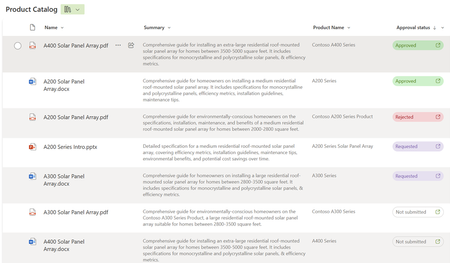
Yes we follow the same timeout logic as Teams Approvals app for the approval request! However you will still be able to see information about the approval request in the SharePoint columns and approval details. Those columns aren't added by default but you can add them to any views or click on the button in the Approval status column at any time.