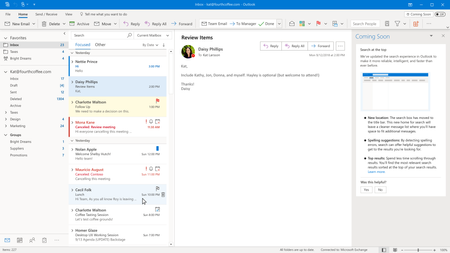
Today, we’re delighted to share updates in Outlook that bring your search results to the top of your app experience, add top results and relevant suggestions to the Search box as well as new ways to ...
I upgraded to 2016 from 2013 and it WAS a very nice search. The new search is a change I did not need , and or wanted to take the time to learn about.
SOLUTION BELOW, which is to live with it and learn how it works,
At first I wanted it back, but now I am willing to live with it because I understand how it works
I think the problem has to do with a learning curve, which Microsoft FAILED to provide instructions and when I searched, this is the only forum I could find, with several comments how folk do not like the change. When I got the update, the new search provided a balloon that said that it is all new and provided a link to learn more. HOWEVER, the learn more link does not tell you how to use the search and or anything to do with learning more, which is the confusing part.
I did receive an forum email from ERabinowitz that I can downgrade, but that does not make any sense to me, as there will be fixes in the future, that I would not be able to get.
MY SOLUTION WAS TO LEARN HOW TO USE THE NEW SEARCH
I called office 365 support, who did not know at first what to do, but between the two of use discovered it is similar, but now all of the options are on the ribbon as icons. When you put your your cursor in the search box, the ribbon changes and all of the options to search are there, but are now icons instead of a drop down box.
Once you get used to the search, it is the same, but what a waste of programming time, as there are still bugs in the program the need to be fixed, such as the, disappearing contact file that the program cannot see and goes to the back.

 Microsoft