I had posted this originally through Microsoft Community, but geezam98 pointed out that there was already a related string in Tech Community. While I would not normally think of joining the Tech Community, I did so this morning after reading the numerous postings regarding Outlook and am adding my prior Microsoft Community post.
.
I have retained emails for the past 20 years and have relied upon the search feature to retrieve various emails as needed. Over the past year or so, I have found that the Insider updates have caused numerous problems. (I'm not sure that I am still receive Insider updates. I get a message to contact my administrator, who, unfortunately, is me.) With the restoration of the ability to hit the enter key upon entering my last search filter value to initiate the search, I finally had a search dialogue box that was easy to use, organized in a sequence that was tailored to my typical search needs, and minimized key strokes. The recent update changing this function has blown me out of the water. I find the new search function to be cumbersome and bothersome. What is worse is the loss of some functionality, in particular the ability to specify a year in any of the date fields (send or receive).
.
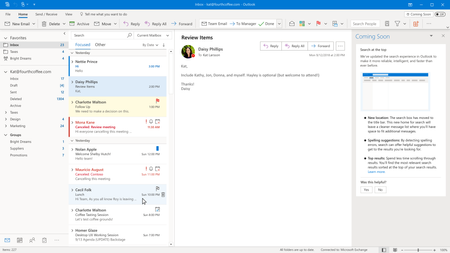
Relocation of the search field to the top of the screen puts this field in a location on my desktop that is out of my normal field of vision. I have to move my head to the left and eyes up. While this might be fine if I were using a smaller screen on a cell phone or tablet, I don’t. From what I read, this new feature was implemented to improve the experience of people using mobile devices with touchscreens. Well, I am not using a touch screen, and it compromises my ease of use. I cannot imagine being an aggressive user of Office with just a touch screen.
.
My customized array of filters had displayed upon entering my cursor into the search field. Now I have to select the caret symbol on the mailbox field to do this. This is an extra keystroke. In addition, the suggested prior actions displayed upon clicking in the search field is a distraction; the actions are not particularly valuable.
.
Previously, I was able to define the sequence of my filters. Now, Outlook displays a number of default features to which you can add additional filters. I find the box visually difficult and miss my ability to put my most commonly used filters at the top of the list. Once I have valued the filters that I wish to use, I can no longer just hit the enter key. Instead, I have to find the Search button and select it, a process that takes more time and effort than just hitting the enter key.
.
The drop down list of for the received or time periods no longer contains the option to specify a given year. Maybe there are 600 emails that relate to a particular topic, but I only want to see those that happened in conjunction with an event in 2013. I can no longer specify that date. Now I have to spend time narrowing the list down to 2013. In addition, I have never figured out why this list has never contained values such as last 7 days or last 30 days. Many of us read emails over the weekend. I may not be able to remember if I read something on Friday, or Saturday, or Sunday. This Week and Last Week are not particularly helpful. If I know that I have read something in the two or three weeks, This Month and Last Month are not very helpful either if it happens to be the 13th of the month. Fortunately, during this time of pandemic, I have not had to engage in extensive research prior emails, but soon it will be necessary for me to do so again.
.
Also, sometimes I don’t know what field a keyword was in, so the general search field becomes valuable in conjunction with other filters. However, the new workflow is cumbersome in trying to do so in conjunction with the other filters. Should you have value the filters in the drop down box and then return the cursor to the general search field, the box disappears. If you type in a value in the search field and hit enter, the search uses only that filter value. You have to reopen the drop down box and then select the Search button to use all of the filter values. It’s kludgy and necessitates extra keystrokes.
.
Finally, upon finishing a search, the search filter box disappears. I believe that it used to stay open to allow me to refine the search filters. If I then try to open the search box again, it does not open upon clicking the search field. I have to first open an email, any email, before I can then again display the search box. This shouldn’t happen.

 Microsoft