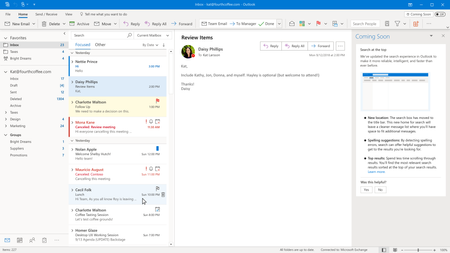
Please generate search results as I type. I often need to add or remove just one character from my existing search criteria. The new results used to be instantaneous. Now, I have to press Enter every time I make a small modification to my Search criteria. This does not make things faster. This does not make things more efficient. Please at least give us the ability to turn back on "results as you type." I can't help but wonder if Microsoft really shut of instant search to accommodate the mountain of other data they now want to search through. It seems like spin and propaganda to me for Microsoft to cite that search is now 28% faster because you have to hit the Enter key after typing your search criteria. Microsoft seems to have turned off a great feature to enable searching the Help system and other content that many of us don't care about and will never use. All I want to do is search my Outlook data quickly and get back to work. I want to do so with a little mouse movement and key strokes as possible. Microsoft: Please stop slowing me down and making things more inefficient. When you make dictator-like decisions like this, please simply maintain the option for users to switch back to the more efficient way. Then, everyone is happy.
Also, please give us the option to move that search box back down near the search results. Why should our eye have to move back and forth across the screen so much? Suggesting that we minimize the ribbon to get the search box closer is asinine. I like the big ribbon and use it all day. I do not want it minimized. Thank you for giving me the choice to show the ribbon how I want it. Now, please give me the choice to move the Search box and return Outlook search results as I type.

 Microsoft