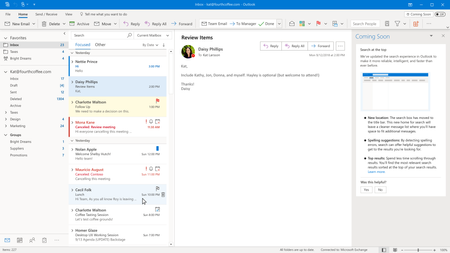
The new location of the Search box in the title bar makes it harder to use on a desktop monitor.
Suggestion: Perhaps, if there is a proportion of users who needs saving vertical space, it would be better if relocating the Search box to the title bar was made an option. An even smarter behavior could be to detect the physical screen size (e.g. 13" 16:9 laptop panel) and _only then_ move the search box to the title bar. There has to be an option to keep the Search closer to the message list.
Reasons why the current design significantly diminishes "productivity [which is] is at the core of Outlook" on the desktop:
- The distance between the search edit and the message list is huge. Especially so if you use the full-sized Ribbon (I do all the time).
- The drop-down covers the Ribbon, obscuring important options.
- The change between "this folder only" and "entire mailbox" takes more clicks than before. (I search Inbox only by default.) I cannot easily switch between "this folder only" and "entire mailbox" using only keyboard.
Question: Citing research, what percentage of users did not like the search box in the new location after this change was introduced? What is the breakdown of user types (e.g. large and medium desktop vs Surface with 3:2 aspect ratio vs 13" laptops with 16:9 aspect ratio, those who really lack vertical space)?
Other questions: Why is it actually considered a good thing: searching for commands and actions at the same time as trying to filter Inbox?IMHO it complicates parsing of the results in either case. Will searching for "commands" also search settings? When will it be easier to find the setting that sets the first day of the week in the Calendar or the setting for searching Inbox only (default is the entire mailbox when in Inbox).
I understand that this update comes with "several changes to Search at once", and perhaps some changes may be useful. However, the most frequent use of search, that is filtering the message list, is significantly impacted by the relocation and by making the functionality more complex. Hundreds of milliseconds (0.1-10 seconds) lost each single time moving eyes across the screen, moving the mouse, making additional clicks, and struggling with options to get [what used to be] simple things done add up to lost time and increased frustration.

 Microsoft