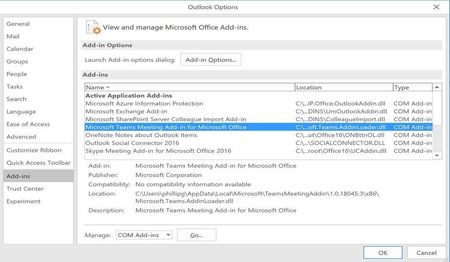
We are having an issue with the team button not showing up in Outlook as well. Question in researching this issue, I saw this:
The Teams Meeting add-in requires users to sign in to Teams using Modern Authentication. If users do not use this method to sign in, they’ll still be able to use the Teams client, but will be unable to schedule Teams online meetings using the Outlook add-in. You can fix this by doing one of the following:
If Modern Authentication is not configured for your organization, you should configure Modern Authentication.
If Modern Authentication is configured, but they cancelled out on the dialog box, you should instruct users to sign in again using multi-factor authentication
https://docs.microsoft.com/en-us/microsoftteams/teams-add-in-for-outlook
Is that statement accurate? I have client who are not using MFA and the button is working, while some who are and the button is not working.