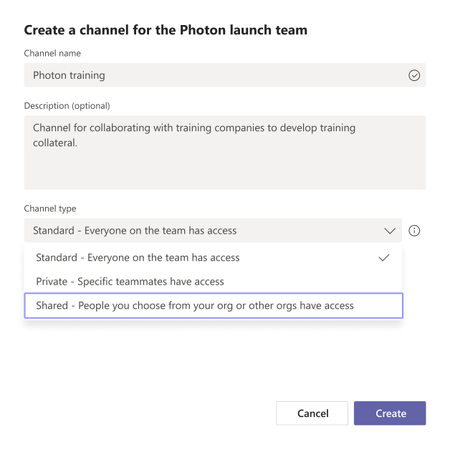
KirstenAndrew27 thanks for all the screenshots. You are not seeing Shared channels because of a bug - If you turn off private channels in the teams policy you wont see the channel creation menu at all. This issue has been fixed and should be rolled out by end of the month. In the meanwhile you can try one of these options
1) Turn of private channel creation OR
2) Create the shared channel in Teams Admin center and then use the client for anything else. [UPDATE] We don't allow creation of Shared channels from admin center for Public preview customers as Graph API don't have a concept of Public preview. So enabling Graph API in Public preview would mean that anyone in the tenant who has Create Shared channels policy enabled will be able to create Shared channels independent of whether they are enrolled into Public preview by customers or not. So its blocked. So only way to create a Shared channel in public preview is via the client.
fwzack can you check if you also have the same setup.
Apologies for inconvenience.